

Table of Contents
Table of Contents
Further Reading


What Does Ephemeral Environment Mean?
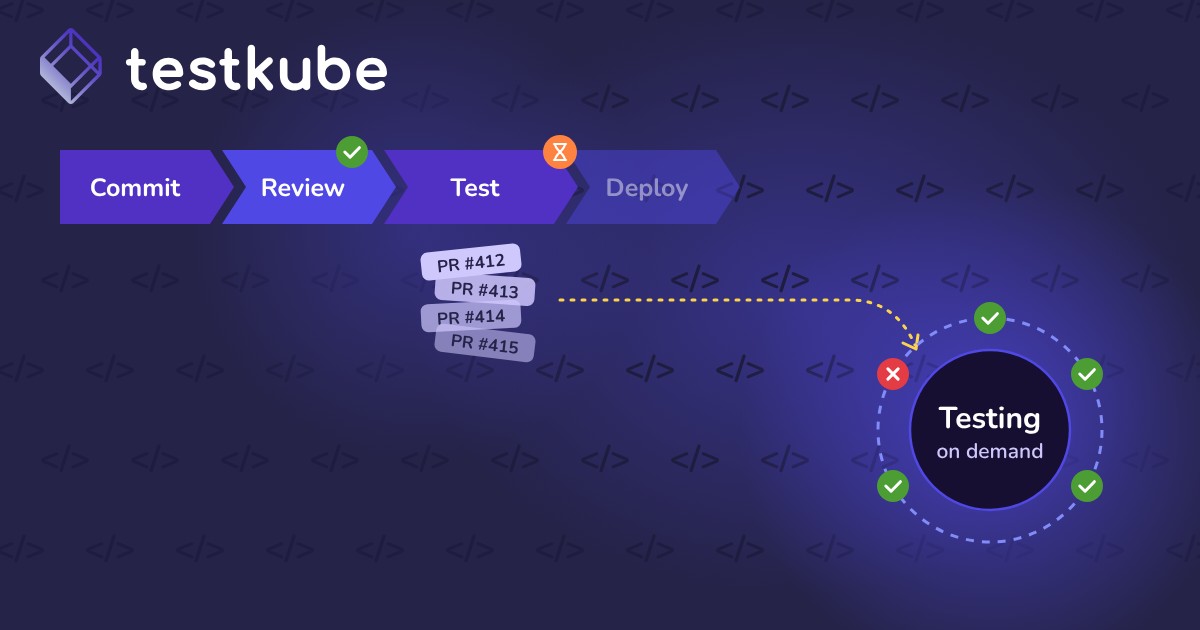
An ephemeral environment is a temporary, disposable environment created automatically to run tests or validate changes. It exists only for a test run or workflow, then it is torn down.
Long-running staging and production environments stay up all the time. Ephemeral environments do not. Teams often build them with Kubernetes building blocks like namespaces, pods, and Jobs.
They are also called on-demand environments, temporary test environments, or dynamic test environments. They are a core part of modern DevOps and continuous testing. Infrastructure as code makes it fast to create and destroy them.
Ephemeral vs. Persistent Environments
Why Ephemeral Environments Matter
Traditional testing often relies on shared environments. These pick up configuration drift, leftover state, and conflicts between teams. Ephemeral environments fix these issues:
- Clean starting state: each run starts fresh, with no leftover data or stale configs causing false failures.
- Less flakiness: tests stop failing because of shared resource conflicts or inconsistent setups.
- More parallel runs: several suites can run at once without competing for the same resources.
- GitOps and CI/CD support: environments spin up per branch, commit, or pull request.
- Lower costs: resources are used only during testing, not by idle staging all week.
- Developer self-service: developers create environments without waiting on a DevOps ticket.
- Security and compliance: sensitive test data is destroyed when the environment goes away.
Tying environments directly to test runs keeps results consistent and repeatable. It also cuts the work of managing environments by hand.
Real-World Use Cases
- Pull request validation: each pull request gets a temporary environment for automated tests. Reviewers can also check changes by hand before merge.
- Load testing: teams mimic production scale without touching long-lived clusters. This supports realistic performance and capacity testing.
- Integration testing: teams test microservices in an isolated namespace. This validates service calls and API contracts without affecting other pipelines.
- Experimentation: teams try feature flags or canary releases in throwaway environments before production.
- End-to-end testing: teams build a full stack with databases, queues, and dependent services to test user workflows.
- Security and compliance testing: teams run scans and compliance checks in environments that can be audited, then destroyed.
- Multi-tenant testing: separate environments per tenant setup confirm tenant isolation and data separation.
- Database migration testing: teams test schema changes against production-like data before touching real databases.
A B2B SaaS Example
Picture a project management SaaS company with ten teams sharing one staging cluster. One team's test data keeps breaking another team's tests. Releases stall while people debug failures that are not real bugs.
The company switches to an ephemeral environment per pull request. Each environment holds only that branch's services and seed data. Failures now point to real code problems, and teams stop waiting in line for staging.
Our Perspective: Make the Environment Part of the Test
Teams often treat environments as something tests run against. A better model treats the environment as part of the test itself. It is created, used, and destroyed together with the run.
This shift makes failures repeatable. If a test fails, anyone can recreate the exact same environment and see the same result.
How Ephemeral Environments Work with Testkube
Testkube runs tests inside Kubernetes, which makes short-lived test infrastructure a natural fit. With Test Workflows, teams get:
- Clean, isolated runs: each execution runs in its own pods, which prevents cross-contamination between runs.
- Captured results: logs, artifacts, and results are saved before pods are removed, so debugging data survives teardown.
- Dependent services: workflows can start supporting services, such as a database, next to the tests for the length of the run.
- Efficient scaling: runs reuse cluster capacity while staying isolated from one another.
- CI/CD integration: trigger runs from Jenkins, GitLab CI, GitHub Actions, Argo CD, and other tools.
- Reusable setup: Test Workflow Templates let teams define common setup once and reuse it with different parameters.
This lets teams align test execution with their CI/CD and GitOps practices. It supports shift-left testing and faster feedback loops without trading off reliability.