

Table of Contents
Table of Contents
Further Reading

What Is a Workflow?
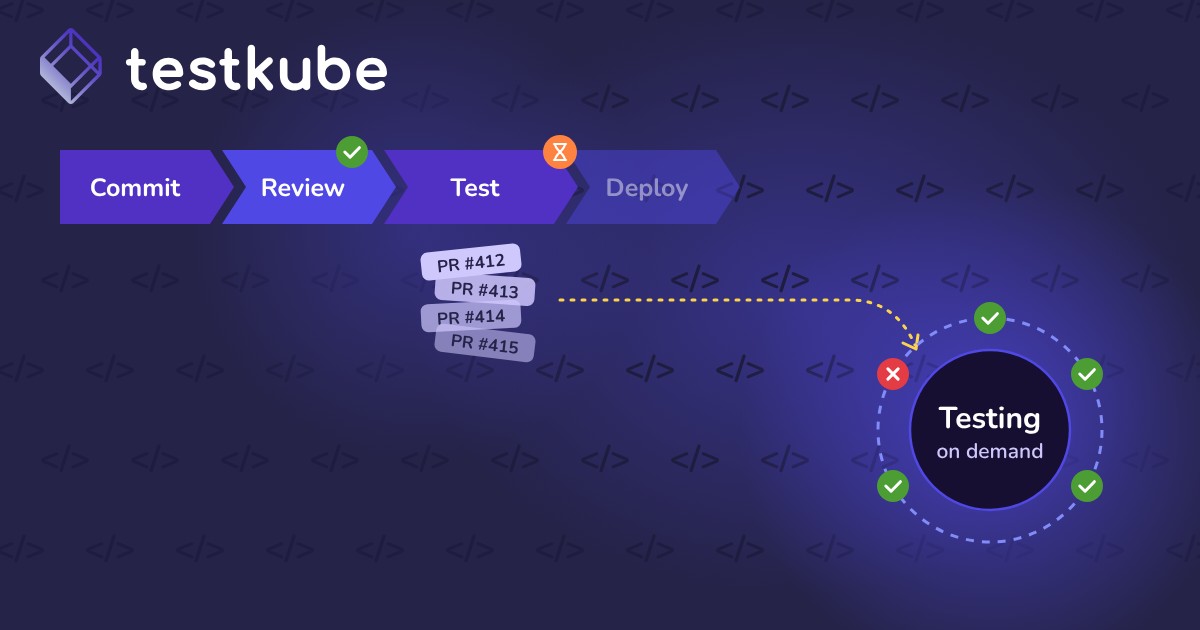
A workflow is a defined series of automated steps or actions that completes a specific process. Common examples include testing, building, deploying, and monitoring software.
Workflows make processes consistent and repeatable. Every change follows the same path, without manual handoffs.
Workflow vs. Pipeline vs. Job
Why Workflows Matter
Workflows are fundamental to automation and operational efficiency in modern software development. They help teams:
- Standardize processes across development, staging, and production
- Reduce manual errors and repetitive tasks that consume engineering time
- Improve visibility so bottlenecks and failures are easy to find
- Coordinate complex systems such as microservices, databases, and third-party APIs
- Accelerate delivery with consistent, automated validation
Clearly defined steps also make it easier to enforce governance policies and manage dependencies.
How Workflows Work
A workflow typically includes four parts:
- Trigger: the event that starts the process, such as a commit, pull request, API call, webhook, or schedule.
- Steps: ordered actions like running unit tests, running integration tests, or deploying to staging.
- Conditions: logic that decides the next path based on earlier results.
- Outputs: final results, such as test reports, build artifacts, manifests, or notifications.
Steps can run sequentially when they depend on each other. Independent steps can run in parallel to save time.
How Workflows Relate to Testkube
Testkube uses Test Workflows to orchestrate complex test processes inside Kubernetes.
- Multi-step orchestration: Combine unit, integration, end-to-end, and load tests in one workflow.
- Kubernetes-native execution: Each step runs in isolated pods for clean, containerized execution.
- Flexible triggers: Start workflows from the CLI, REST API, Git events, webhooks, or schedules.
- Unified visibility: Logs, results, metrics, and artifacts are centralized in the Testkube dashboard.
- Cross-cluster testing: Run the same workflows across multiple Kubernetes clusters and environments.
Testkube workflows work alongside existing CI/CD pipelines, GitOps workflows, and Kubernetes tooling.
Real-World Example
A B2B SaaS team validates every release candidate with one Testkube workflow:
- Trigger: a merge to the main branch starts the workflow.
- Prepare: a setup step seeds test data in a staging namespace.
- Test in parallel: Postman API tests and Playwright UI tests run at the same time.
- Check performance: if both pass, a short k6 load test runs.
- Report and clean up: results go to the dashboard, and test data is removed.
The same workflow runs in every environment by changing a few variables.
Best Practices for Workflows
- Keep workflows modular: Focused workflows are easier to maintain, debug, and update.
- Use variables and templates: Parameterize values for reuse across environments and projects.
- Add validation and rollback steps: Health checks help workflows fail gracefully.
- Automate with triggers and schedules: Run recurring jobs like nightly regression tests automatically.
- Document clearly: Comments and descriptions help other teams understand each step.
- Handle errors and notify: Alert the right team when a workflow fails.
- Version control definitions: Track changes and roll back when needed.
Common Pitfalls
- Hardcoded configuration: environment-specific values block reuse across dev, staging, and production.
- Overcomplicated workflows: unnecessary steps add runtime and maintenance burden.
- Ignored dependencies: timing issues between stages cause race conditions and flaky tests.
- No monitoring: skipping execution metrics hides optimization opportunities.
- One massive workflow: modular stages fail faster and give clearer feedback.
- Missing resource limits: unbounded workflows can consume excessive cluster resources.
- Skipped cleanup: leftover test data and resources clutter the cluster.