.webp)
Table of Contents
Start your free trial.
Start your free trial.

Start your free trial.


Table of Contents
Executive Summary
The pull request is where your team decides whether code ships. It is where reviews happen, where checks run, and where quality is supposed to be enforced. So it is worth asking where your tests fit into that picture.
For most teams, the answer involves writing and maintaining custom GitHub Actions. You script the test execution yourself. The tests run synchronously, which means long-running suites count against your GitHub minutes, and a 30-minute suite that runs on every pull request adds up fast. And when a test fails, the pull request tells you almost nothing. You get a red X, and then you go digging through logs to figure out what failed and why.
The result is that testing, the thing the pull request exists to protect, is often the most awkward part of the pull request.
This is a symptom of a bigger gap. CI/CD tools execute workflows. Testing tools execute tests. Neither treats testing as a system that spans your repositories, your clusters, and your release process. Testkube orchestrates testing as a system, and with this release, that system now reaches directly into your pull requests.
What's in the August release
Today we introduce a native GitHub experience for running any automated test on pull requests, complete with quality gates and failure analysis inside the PR itself. Alongside it, flakiness scoring now goes down to the individual test, and a set of orchestration improvements make complex, multi-workflow testing easier to run.
Advanced GitHub integration
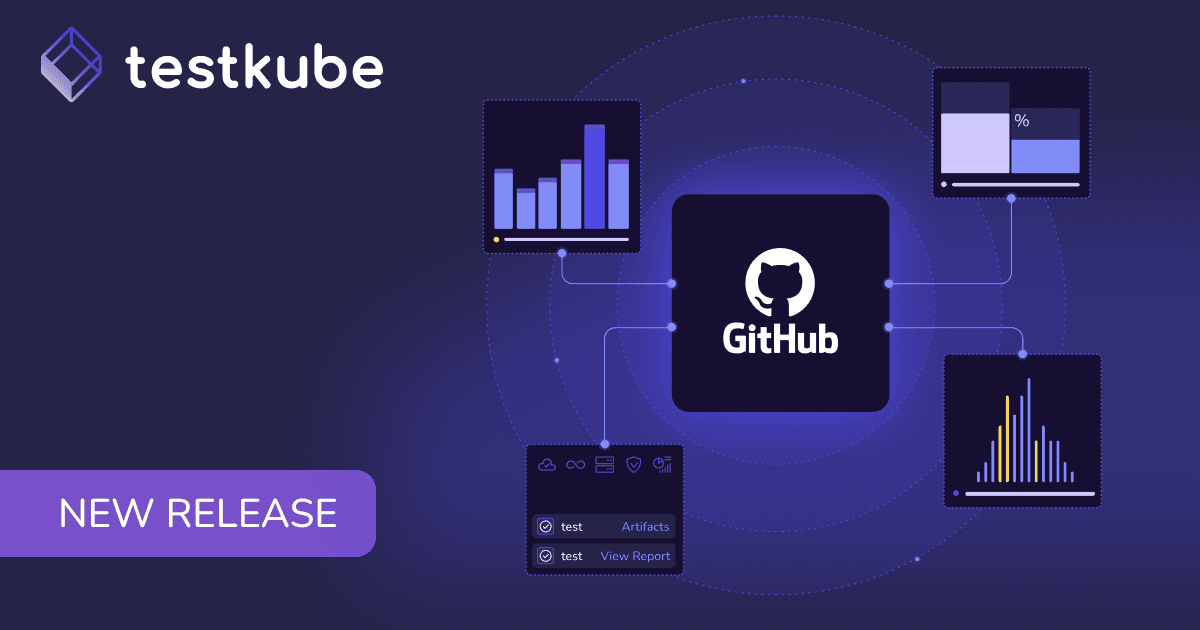
The integration connects your Testkube workflows to your GitHub repositories. Testkube discovers your tests, you configure which tests should run for changes in a repository, for example when a pull request is opened. Testkube runs them in your infrastructure, and reports the results back to the pull request.
Those results arrive as GitHub checks. That means you can use them as a quality gate: if the checks fail, the pull request cannot be merged. Your test suite becomes part of the merge decision itself.
When a test fails, Testkube AI agents analyze the failure and post that analysis as a comment on the pull request. The person who opens the PR sees what failed and why, in the same place they are already working.
Because the tests execute through Testkube rather than inside a GitHub Actions runner, your suites run in your own infrastructure with full orchestration, and the results feed the same execution history, insights, and troubleshooting you use everywhere else in the platform. And since tests execute asynchronously from your GitHub Action Workflows, no GitHub costs are incurred for any test executions, potentially saving you 1000s of minutes currently spent on
The Testkube GitHub App is available in the GitHub Marketplace. If you are new to Testkube, installing it starts a guided onboarding with a trial: it looks through your repository, finds the tests you already have, and asks which ones you want to run.
Test case flakiness
Flakiness scoring has been part of Testkube's insights at the workflow level. This release takes it down to the individual test.
If a workflow runs 20 or 100 tests, knowing the workflow is flaky only tells you where to start looking. The cause can vary between the tests themselves, and what you actually want to know is which specific test case is unstable. Testkube now scores flakiness for each test in a workflow, so you can go straight from "this suite is unreliable" to "this test is the problem" without the archaeology in between.
It is another step in making Testkube's insights and troubleshooting sharp enough to act on, not just report on.
Also in this release
A set of orchestration and usability improvements, several of them requested by teams running Testkube at scale:
Testing where the decision happens
The theme of this release is productivity. Test results next to the merge button. Failure analysis next to the code change. Flakiness scores next to the individual test. The closer testing sits to the decision it informs, the more confidently you can ship.
If your tests live in a GitHub repository, the fastest way to see this is to install the Testkube GitHub App from the GitHub Marketplace and let it find them. Your next pull request can be the first one with a real quality gate behind it.
Get started
We are looking forward to seeing how this release helps your team get more out of Testkube. To explore everything that shipped, check out the full documentation.
The latest enhancements are available now. Sign up and explore the full platform enhancements.
There is more on the way. Stay tuned.
{{banner-get-started}}
About Testkube
Testkube is the open testing platform for AI-driven engineering teams. It runs tests directly in your Kubernetes clusters, works with any CI/CD system, and supports every testing tool your team uses. By removing CI/CD bottlenecks, Testkube helps teams ship faster with confidence.
Get Started with a trial to see Testkube in action.