

Table of Contents
Table of Contents
Further Reading





What is a Kubernetes sandbox environment?
A Kubernetes sandbox environment is an isolated Kubernetes cluster, namespace, or virtual cluster that exists specifically for development, testing, or experimentation. The defining property is isolation: anything that happens in the sandbox stays in the sandbox. Crash a workload, misconfigure a network policy, or accidentally delete a Deployment, and production is unaffected.
Sandboxes are a foundational concept for any team running Kubernetes seriously. They give developers a safe place to learn, give QA teams a clean environment for each test run, and give platform engineers a way to validate hardened configurations before they reach production. Most teams use multiple types of sandbox at different points in the development lifecycle.
Why a Kubernetes sandbox environment matters
Kubernetes is powerful, but the same flexibility that makes it useful also makes it dangerous. A misapplied YAML manifest can take down a critical service. A bad Helm upgrade can corrupt persistent data. A new admission policy can block every deployment in the cluster. Production is the wrong place to find out any of these things.
A Kubernetes sandbox environment provides:
- A safe, disposable cluster where mistakes have no production consequences
- A consistent place to validate manifests, Helm charts, and Kustomize overlays before promotion
- An isolated environment for testing new tools, operators, and CRDs
- A reproducible target for CI/CD pipelines to deploy into and run tests against
- A learning environment where developers can explore Kubernetes without needing full production access
- A target for security validation and policy enforcement testing
The cost-to-value ratio is excellent. Sandboxes are cheap to create, cheap to destroy, and prevent the kind of production incidents that cost organizations hours of engineering time and customer trust.
How a Kubernetes sandbox environment works
A sandbox environment provides a real Kubernetes API, real workloads, and real networking, but in a context where failures are tolerated. The implementation varies based on where the sandbox runs and what level of isolation it needs.
Local sandboxes run on a developer's machine using lightweight Kubernetes distributions. The cluster is a single-node or small multi-node setup, often running in Docker containers or a local VM. Developers interact with it the same way they would interact with a production cluster: through kubectl, Helm, or the Kubernetes API directly.
Ephemeral environments run in shared cloud infrastructure but are provisioned dynamically and destroyed automatically. Each branch, feature, or test run gets its own short-lived environment. Tools like vcluster create lightweight virtual clusters inside a single physical cluster; tools like Testkube provision ephemeral namespaces for each test execution.
Secure sandboxes add kernel-level isolation on top of normal Kubernetes namespaces. They run workloads in a separate userspace kernel (gVisor) or specialized sandboxed VM (GKE Sandbox), so even a compromised container cannot affect the host or other workloads.
The 3 types of Kubernetes sandbox environments
Most Kubernetes sandbox use cases fall into one of three categories. Many teams use all three at different stages.
1. Local sandboxes
Local sandboxes run a Kubernetes cluster on a developer's own machine. They are the lowest-friction option for individual experimentation and are usually the first sandbox developers encounter.
Common tools:
- Minikube: Runs a single-node Kubernetes cluster inside a VM or container. The longest-running local Kubernetes distribution and widely supported.
- Kind (Kubernetes in Docker): Runs Kubernetes nodes as Docker containers. Fast, lightweight, and the most common choice for CI use cases. See testing in Kind with Testkube.
- k3s and k3d: Rancher's lightweight Kubernetes distribution, optimized for edge and resource-constrained environments. k3d runs k3s inside Docker.
- MicroK8s: Canonical's lightweight Kubernetes for workstations and edge.
When to use: Individual developers validating manifests, learning Kubernetes concepts, prototyping operators, or running local CI before pushing to remote pipelines. Avoid for tests that need realistic distributed behavior, multi-zone networking, or production-grade load patterns.
2. Ephemeral environments
Ephemeral environments are provisioned dynamically and destroyed automatically. Each branch, pull request, or test run gets its own short-lived Kubernetes environment, then the environment goes away when the work is done.
Common tools:
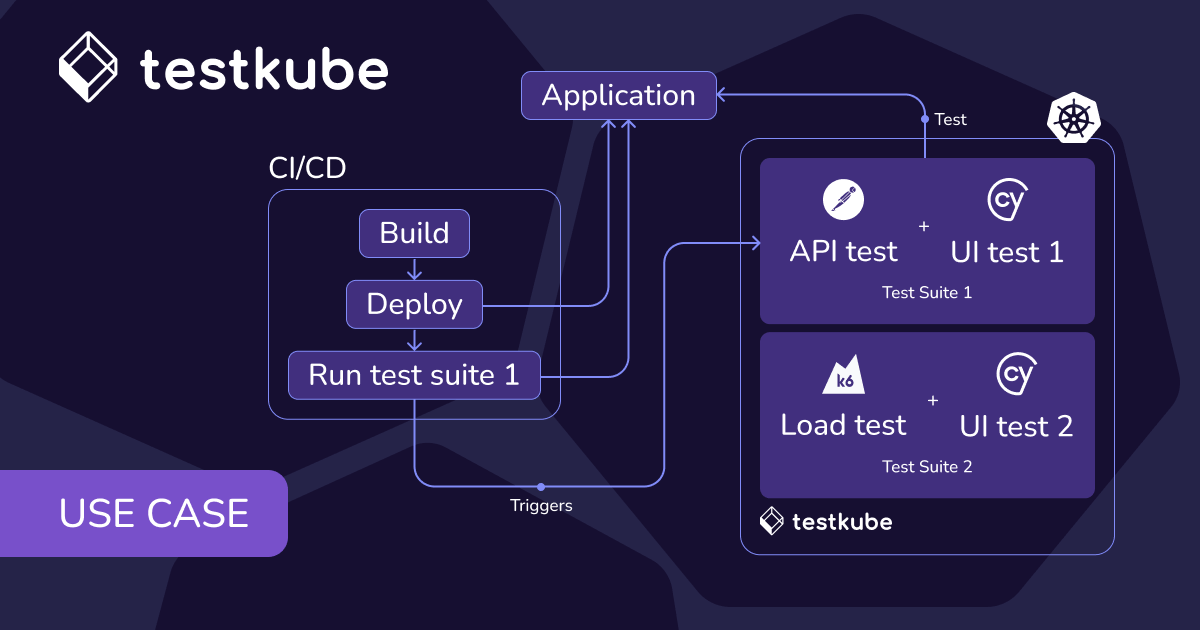
- Testkube: Provisions ephemeral namespaces or clusters for each test execution, runs the tests, and cleans up automatically. See the ephemeral clusters use case.
- vcluster: Creates lightweight virtual Kubernetes clusters inside a single physical cluster. See ephemeral test environments with vcluster, GitOps, and Testkube.
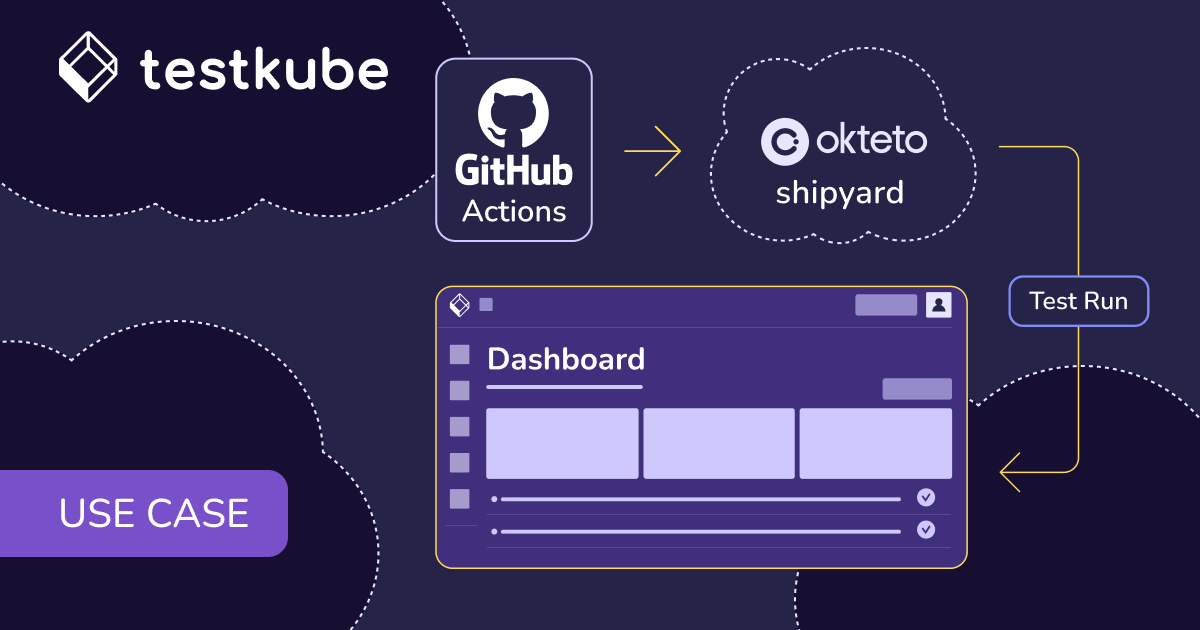
- Qovery, Okteto, Shipyard: Platforms that automate ephemeral environment provisioning for development and preview workflows.
When to use: CI pipelines, preview deployments for pull requests, integration testing where multiple services need to be deployed together, and any workflow where environments need to match production architecture but be disposable. See end-to-end PR testing in Kubernetes with Testkube and vcluster.
3. Secure sandboxes
Secure sandboxes add an additional layer of kernel-level isolation on top of normal Kubernetes pods. They are used when workload isolation guarantees matter more than performance overhead.
Common tools:
- gVisor: Google's userspace kernel that runs containers in a sandboxed environment without direct kernel access.
- GKE Sandbox: Google Kubernetes Engine's managed integration of gVisor.
- Kata Containers: Lightweight VMs that look like containers but provide hardware-level isolation.
When to use: Running untrusted code, multi-tenant SaaS workloads, security research and validation, and any scenario where a kernel exploit in one workload could affect others. The trade-off is performance overhead, so secure sandboxes are typically reserved for the workloads that genuinely need them.
Comparison table: Kubernetes sandbox environment types
Real-world examples of Kubernetes sandbox environments
How sandboxes actually get used in practice, by role:
- Local experimentation. A backend developer uses Kind to test a new Helm chart locally before pushing the PR. Cluster starts in 30 seconds, the chart deploys, the developer iterates on the values file, and the cluster gets torn down when the laptop sleeps.
- Ephemeral PR testing. A QA team uses Testkube to spin up a temporary namespace for each pull request. The application deploys, end-to-end tests run, results land in the Testkube dashboard, and the namespace is automatically cleaned up.
- Pre-production validation. A platform engineer uses a vcluster inside the staging cluster to test a new admission controller configuration. The virtual cluster is identical to staging in terms of CRDs and policies, but isolated enough that mistakes do not affect other teams.
- Security validation. A security engineer uses GKE Sandbox to run a customer-uploaded container image through dynamic analysis. Even if the image contains a kernel exploit, the host and other workloads are protected.
- Learning environments. A new platform engineer uses Minikube to work through Kubernetes the Hard Way, then moves to k3d for more realistic multi-node practice before getting access to staging.
How Kubernetes sandbox environments relate to Testkube
Testkube extends the concept of a Kubernetes sandbox into a fully automated continuous testing system. Rather than treating sandboxes as one-off resources developers create manually, Testkube provisions ephemeral namespaces or clusters as part of test execution, runs the tests, collects results, and removes the environments automatically when tests complete.
For teams running Kubernetes, this means:
- Automated ephemeral environments. Provision on-demand clusters or namespaces for each test run, CI trigger, or pull request, with no manual cleanup required. See the ephemeral clusters use case and ephemeral environments docs.
- Tests run safely at scale. Execute load, functional, and integration tests directly in Kubernetes without touching production. Related: in-cluster test execution.
- Centralized observability. Collect logs, metrics, and results from each sandboxed run in one control plane, rather than scattered across short-lived environments that disappear before debugging finishes. Related: centralized test observability.
- Pipeline integration. Connect sandboxed test runs to Jenkins, GitHub Actions, GitLab, or Argo Workflows for automated execution as part of CI/CD.
- Cost-efficient cleanup. Environments destroy themselves when tests finish, so there is no growing pile of forgotten clusters running up cloud bills.
This model enables continuous testing within isolated, production-like clusters and supports DevOps workflows that need both velocity and safety. For the GitOps-driven version of this pattern, see ephemeral test environments with vcluster, GitOps, and Testkube.
Best practices for Kubernetes sandbox environments
Match the sandbox type to the workflow
Local sandboxes are fast and cheap for individual experimentation but cannot represent realistic distributed behavior. Ephemeral environments take seconds to minutes to provision but match production architecture. Secure sandboxes are slower but provide kernel-level isolation. Choose based on what the workflow actually needs, not what is easiest to set up.
Automate cleanup from the start
The most common sandbox failure mode is environments that never get cleaned up. A developer creates a Kind cluster, forgets about it, and three months later their machine has 14 stale clusters. The same pattern plays out in cloud environments at much higher cost. Automate cleanup as a first-class part of the workflow.
Enforce RBAC and policies in shared sandboxes
When sandboxes are shared (one cluster, multiple namespaces, multiple teams), enforce role-based access control and network policies the same way you would in production. Sandboxes that have no security boundaries become risk vectors when developers experiment with sensitive configurations.
Use the same manifests as production
The value of a sandbox depends on how closely it matches the production target. Manifests, Helm charts, and Kustomize overlays should be the same in the sandbox as in production, with environment-specific values overridden through values files or overlays. If the sandbox deploys differently than production, bugs found in production will not have been caught in the sandbox.
Centralize observability across sandboxes
Each ephemeral environment that runs tests should report results, logs, and metrics back to a central control plane. If observability stays inside the short-lived environment, it disappears when the environment does, and debugging becomes impossible.
Common pitfalls when adopting Kubernetes sandbox environments
- Using local tools for distributed testing scenarios. Minikube and Kind cannot fully simulate the network behavior, latency patterns, or scale of a real cloud cluster. Trying to validate distributed system behavior in a local sandbox produces false confidence.
- Forgetting to clean up ephemeral clusters. Cloud bills rise quietly when ephemeral environments stop being ephemeral. Automate destruction; do not rely on humans to remember.
- Neglecting RBAC and security policies in shared sandboxes. Shared sandboxes without security boundaries become risk vectors. Apply production-grade policies even in non-production environments.
- Losing observability when environments are destroyed. Test results that live only in the sandbox disappear with it. Centralize logging and metrics before destruction.
- Treating local sandboxes as production substitutes. Local environments are excellent for learning and prototyping. They are not a substitute for staging or production-like environments for release validation.
Key takeaways
- A Kubernetes sandbox environment is an isolated cluster for safe experimentation. Anything that happens in the sandbox stays in the sandbox, which makes it safe to test risky changes.
- Three types cover most use cases. Local sandboxes (Minikube, Kind) for individual experimentation, ephemeral environments (Testkube, vcluster) for CI/CD and integration testing, and secure sandboxes (gVisor, GKE Sandbox) for kernel-level workload isolation.
- Ephemeral sandboxes are the highest-leverage pattern for modern delivery teams. They match production architecture, provision automatically per workflow, and clean themselves up.
- Automate cleanup as a first-class concern. The most common sandbox failure mode is environments that never get destroyed, leading to cloud cost overruns and security debt.
- Centralize observability across all sandbox runs. Test results, logs, and metrics that live only inside short-lived environments disappear when those environments do, so they need to flow to a control plane that outlives them.
Frequently asked questions
What is a Kubernetes sandbox used for?
A Kubernetes sandbox is used to safely test deployments, validate configurations, experiment with new tools, and learn Kubernetes without impacting production environments. Teams use sandboxes for everything from manifest validation and Helm chart testing to integration testing and security research.
Is Minikube considered a sandbox?
Yes. Minikube is a lightweight local Kubernetes sandbox that runs a single-node cluster inside a VM or Docker container, ideal for individual experimentation, learning, and testing manifests locally before pushing to remote pipelines. Minikube is one of several local sandbox options alongside Kind, k3d, and MicroK8s.
How does Testkube enhance sandbox testing?
Testkube automates sandbox creation and destruction while running tests inside those environments. Instead of provisioning a sandbox manually, running tests, and cleaning up by hand, Testkube handles the entire lifecycle as part of CI/CD or scheduled test runs, with results landing in a centralized control plane.
What is the difference between local and ephemeral Kubernetes sandboxes?
Local sandboxes run on a developer's machine and persist as long as the developer keeps them around. Ephemeral sandboxes are provisioned dynamically in cloud or shared cluster contexts and automatically destroyed after use. Local sandboxes are best for individual experimentation; ephemeral sandboxes are best for CI/CD, integration testing, and PR previews.
Are Kubernetes sandbox environments secure?
Yes, particularly when isolated with tools like gVisor or GKE Sandbox that protect the host kernel and enforce workload separation. For sandboxes used by multiple teams, applying RBAC and network policies adds another layer of isolation. The security level should match the workload sensitivity.
Can I use a Kubernetes sandbox in CI/CD?
Yes. Ephemeral Kubernetes sandboxes are widely used in CI/CD pipelines. Tools like Testkube provision a sandbox at the start of a pipeline run, deploy the application under test, run the test suite, and tear down the sandbox at the end. This pattern gives every PR or commit its own isolated testing environment.
What is the difference between a Kubernetes namespace and a sandbox?
A namespace is a logical partition within a Kubernetes cluster; a sandbox is the broader concept of an isolated environment used for testing or experimentation. A sandbox can be implemented as a namespace inside a larger cluster, as an entire dedicated cluster, or as a virtual cluster like vcluster. Namespaces are one common implementation pattern for sandboxes.
Do I need Kubernetes to use Testkube for sandbox testing?
You can start without a full production Kubernetes cluster. Testkube supports Minikube, Kind, and Docker-based local development, plus Testkube Cloud for managed deployment. See the quickstart without Kubernetes for setup details.