Table of Contents
Start your free trial.
Start your free trial.

Start your free trial.



Table of Contents
Executive Summary
In the previous post on Testkube Agent Skills, we taught an AI agent how Testkube works so it could write and run TestWorkflows on its own. That covers the Testkube side of things. But teams also have standards of their own, like required labels or a cap on how long a workflow can run, and the schema check has no way of enforcing them. An agent that has never read your standards doc will skip them and give no sign that anything is wrong.
In this post, we'll build a custom Testkube Agent Skill that lints a TestWorkflow against your standards after testworkflow-author writes it and before testworkflow-runner runs it. It asks you whenever a fix would need a guess. Then we'll run the same Postman prompt with and without the skill to see what changes.
Testkube Agent Skills: A Quick Recap
An agent skill is a folder built around a SKILL.md file, which holds a short description of when to use the skill and the instructions the agent follows once it does. Testkube publishes six of them in the open source testkube-skills repo, including testworkflow-author and testworkflow-runner, and the first post introduced them.
Three optional folders sit next to SKILL.md:
scripts/holds code the agent can run.references/holds longer documentation.assets/holds data files and templates.
The agent reads none of them until a task calls for it, which is the progressive disclosure described in the Agent Skills specification. At startup it sees only each skill's name and description, and the rest loads as the work reaches it.
The Use Case: Enforcing Team Standards on TestWorkflows
Consider a platform team that supports many teams writing TestWorkflows, with many of those workflows generated by AI agents. Every one validates and runs. When the platform team goes looking, though, the workflows can't be filtered by team, some have no memory limit, and the names give no hint of who owns them. A standards doc exists and goes unread.
The skill moves those standards to where the agent works:
- The check runs before the workflow is created, well ahead of code review.
- It lints the workflow with a script and fixes violations without changing what the tests do.
- When a fix would need a guess, such as the team name, it asks, and it ends with a report of what changed.
The official testworkflow-author skill handles generic practices like timeouts and secret handling. This skill adds a script check that doesn't rely on the agent remembering, plus the rules only your team knows, such as labels and resource limits.
The skill built in this post is available in this GitHub repository.
The seven standards the skill enforces
Every team has its own standards, so the seven below are a hypothetical set we made up for this post. Each is a rule a script can check, which makes it a good fit for a skill. You can swap in your own, and the next section shows how.
Standards as data
The thresholds behind the standards sit in a JSON file, assets/standards.json, and the linter reads that file each time it runs. Values such as the required labels and the maximum timeout live there. To change a standard, you edit the file and leave the script alone, so a team can adopt its own rules without reading any Python. Here is an excerpt of the file:
{
  "required_labels": ["team", "tool"],
  "max_deadline_seconds": 3600,
  "required_resources": {
    "requests": ["cpu", "memory"],
    "limits": ["memory"]
  }
}
What the skill must never do
The skill can change how a workflow is configured, but guardrails stop it from changing what the workflow tests. It must never:
- Change commands, arguments or step order.
- Guess a value it cannot establish, such as the team name or a secret name.
- Print or copy a literal secret.
- Add
condition: alwaysto a step that runs commands, because that would run the tests even after an earlier step failed.
How to Build the Skill Step by Step
The skill is called testworkflow-standards. It has a SKILL.md for the instructions, plus one file each in scripts/, references/ and assets/, which puts every folder from the recap to use. This is the finished layout, and the four steps below show how each piece gets written.
testworkflow-standards/
├── SKILL.md
├── scripts/
│   └── lint_workflow.py
├── references/
│   └── standards.md
└── assets/
    └── standards.json
1. Write the description first
The description in the frontmatter is the trigger. The agent reads it at startup and decides from it whether to load the skill, so it needs a "use when" and a "does NOT". Ours ends by naming the two skills it should never be confused with. The specification allows 1,024 characters, and ours uses about half of that.
---
name: testworkflow-standards
description: "Check and enforce team standards on Testkube TestWorkflow YAML. Use when a TestWorkflow has just been written or edited and is about to be created, committed, or run ... Does NOT author a workflow from scratch (testworkflow-author) or run one (testworkflow-runner)."
---
2. Define the core loop
The body of SKILL.md is a numbered loop that the agent follows in order:
- Find the workflows.
- Lint them with the script.
- Fix each finding using the guidance in
references/standards.md. - Re-lint until there are zero errors.
- Validate with
testkube create testworkflow --dry-run. - Report what changed, then any open questions.
Lint, fix and re-lint repeat because a fix can expose a second problem. The dry run checks the schema only, so the skill never treats it as proof that the workflow will run.
3. Add hard rules
The limits from the previous section go in their own short list, written as MUST and MUST NOT. Ours has five, and the first two set the tone:
1. **MUST run the linter.** Do not eyeball the YAML and declare it compliant.
2. **MUST NOT change what the tests do.** Commands, arguments, test paths, step order, and step names stay as they are.
4. Move deterministic checks into a script
Whether a workflow complies is a yes or no question, so a script answers it, not the agent. The agent runs the linter, reads the findings and acts on them.
python3 scripts/lint_workflow.py path/to/workflowsThe script reads the workflow and assets/standards.json and prints each finding with its rule ID and path. It exits with 0 for no errors, 1 for violations and 2 if a file could not be read. It needs PyYAML, so install that before the first run. The thresholds stay in the JSON file, which keeps the script free of anything your team would need to edit.
TestWorkflow Generation With and Without the Skill
To see what the skill changes, we gave Claude Code the same task twice. The first time, only the official Testkube skills were installed. The second time, we added testworkflow-standards.
The setup
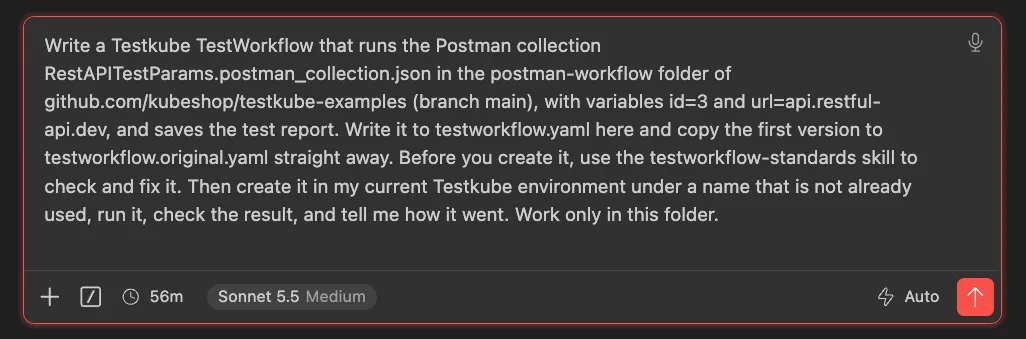
Both runs used the same repository and the same Testkube Cloud environment, kind-mac, configured on a local Mac. The task was to run the Postman collection RestAPITestParams from the postman-workflow folder of kubeshop/testkube-examples with id=3 and url=api.restful-api.dev, and to save the test report. We ran each prompt once, in Claude Code with Sonnet 5.5. If you're new to running Postman collections in a cluster, start with our guide to API testing in Kubernetes with Postman.
The second prompt adds one sentence naming the skill: "Before you create it, use the testworkflow-standards skill to check and fix it."
The demo used the version of the skill available at the time. The version in the repo has since added support for per-step resources and spec.pod timeouts, plus a few edge cases for artifacts and secrets. We linted both workflows with each version, and the findings are identical.
Without the skill
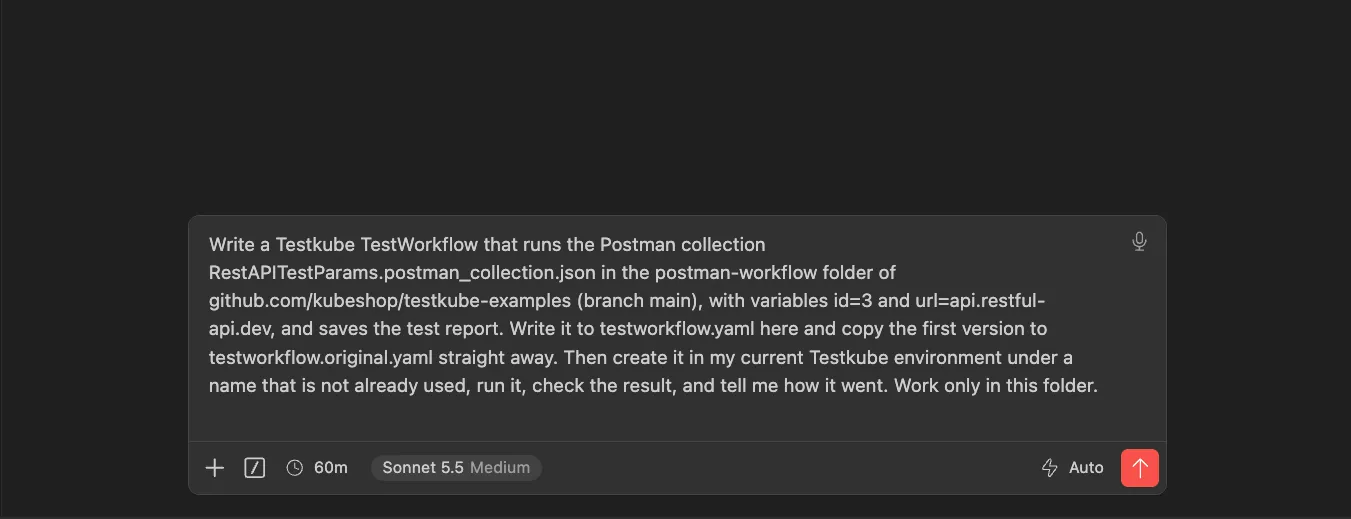
In the first run, Claude Code loaded testworkflow-author on its own, wrote the workflow, validated it with testkube create testworkflow --dry-run, created it and ran it.
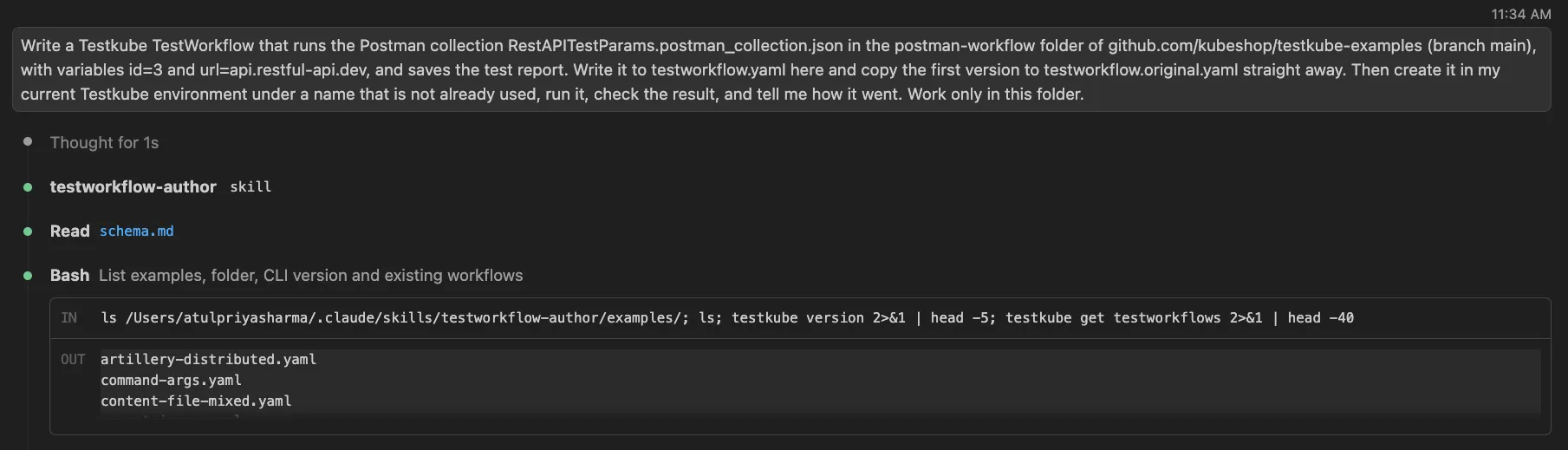
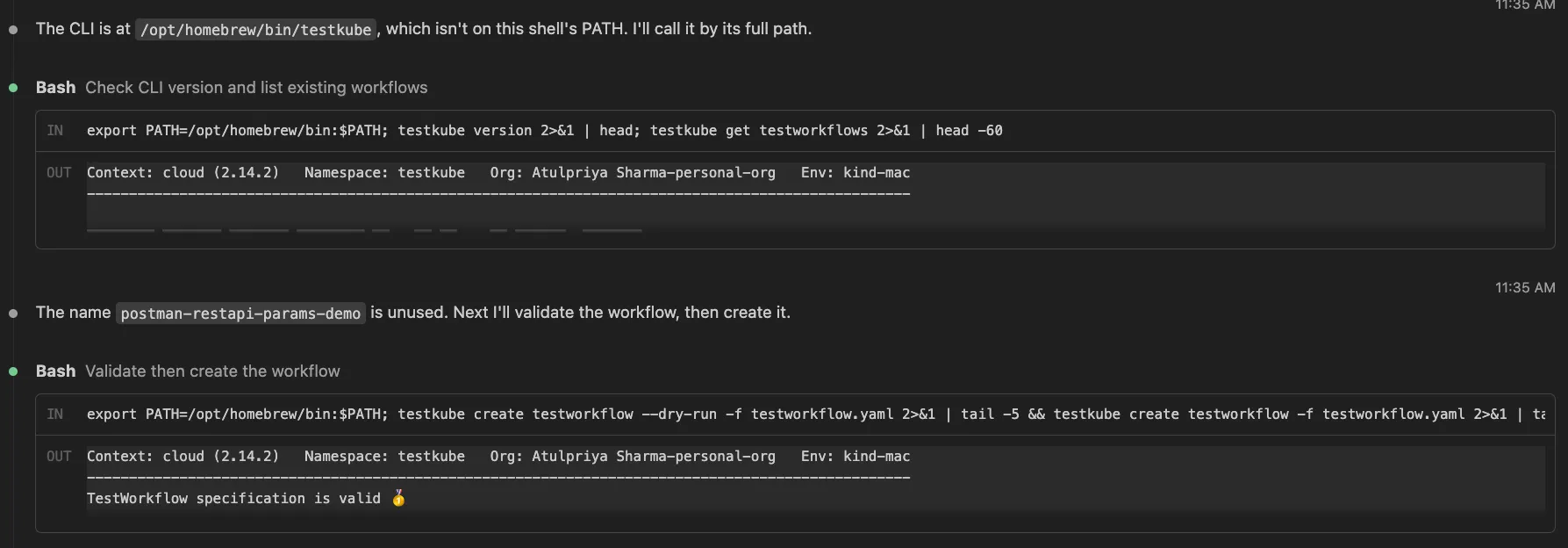
The run passed in about 26 seconds. All three requests returned 200, all seven assertions passed and the Newman report was saved as an artifact.
By the usual measures that is a good result. We then ran the standards linter against the first version, and it found two errors:
testworkflow.original.yaml (postman-restapi-params-demo)
  [ERROR] STD-002 spec.container.resources.limits.memory: Missing limits.memory.
  [ERROR] STD-003 metadata.labels.team: Required label 'team' is missing.

2 error(s), 0 warning(s)
The container has no memory limit, and the workflow has no team label. The author skill's configuration held up everywhere else. The image is pinned to postman/newman:6-alpine, the timeout is 300 seconds and the report sits in its own step with condition: always, so STD-001, STD-004 and STD-005 pass. STD-006 passes as well, although only because the workflow has no secrets to flag. The workflow is correct, and the gap is in the team's conventions.
With the skill
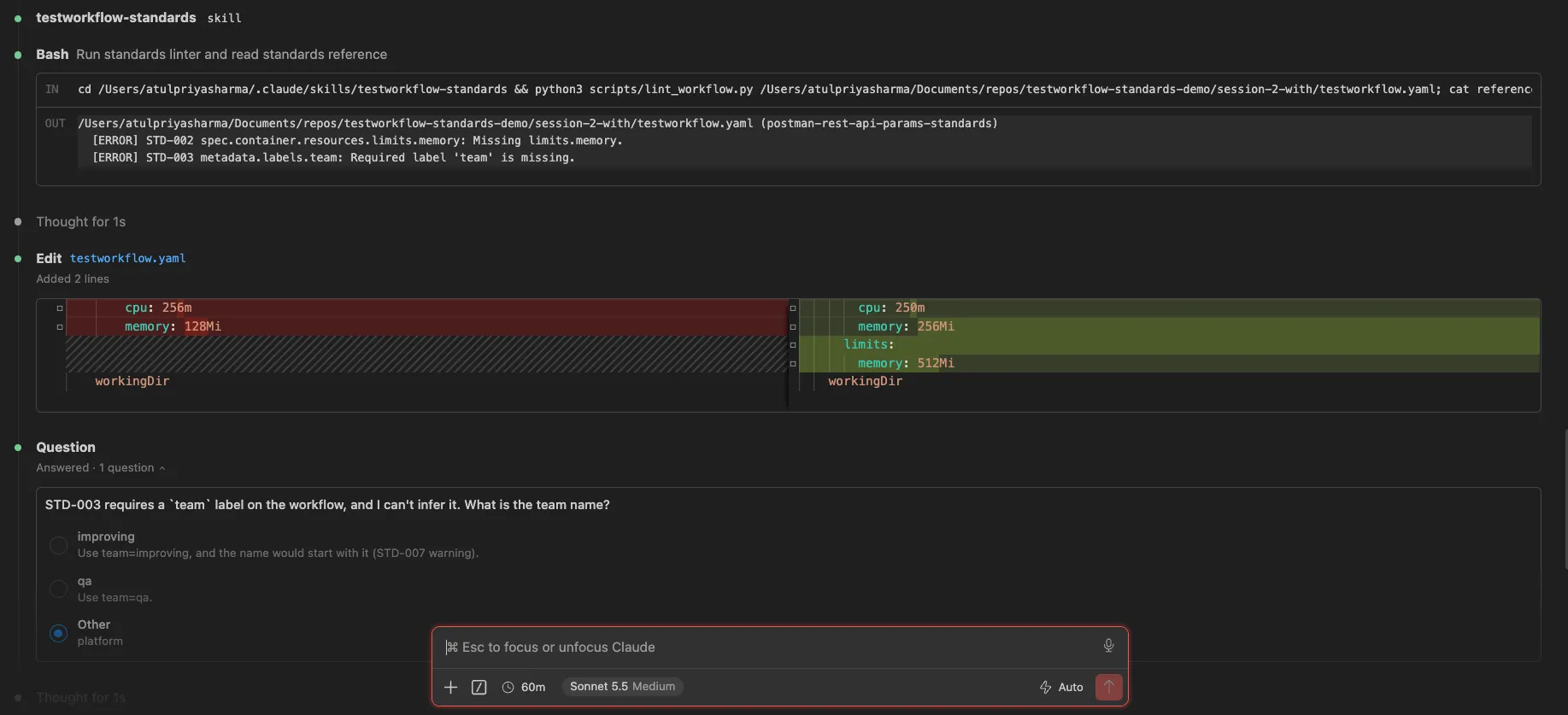
The second run differed at one point. Claude Code wrote the first version of the workflow, loaded testworkflow-standards and ran the linter, which flagged the missing memory limit and the missing team label. The agent could fix the memory limit on its own. The label was another matter, since a team name can't be read from a workflow, so it asked: "STD-003 requires a team label on the workflow, and I can't infer it. What is the team name?" We answered platform.
It then added the label, renamed the workflow to start with the team (STD-007) and re-linted with zero errors and zero warnings. The dry run accepted the schema, and the workflow ran and passed in about 11 seconds.
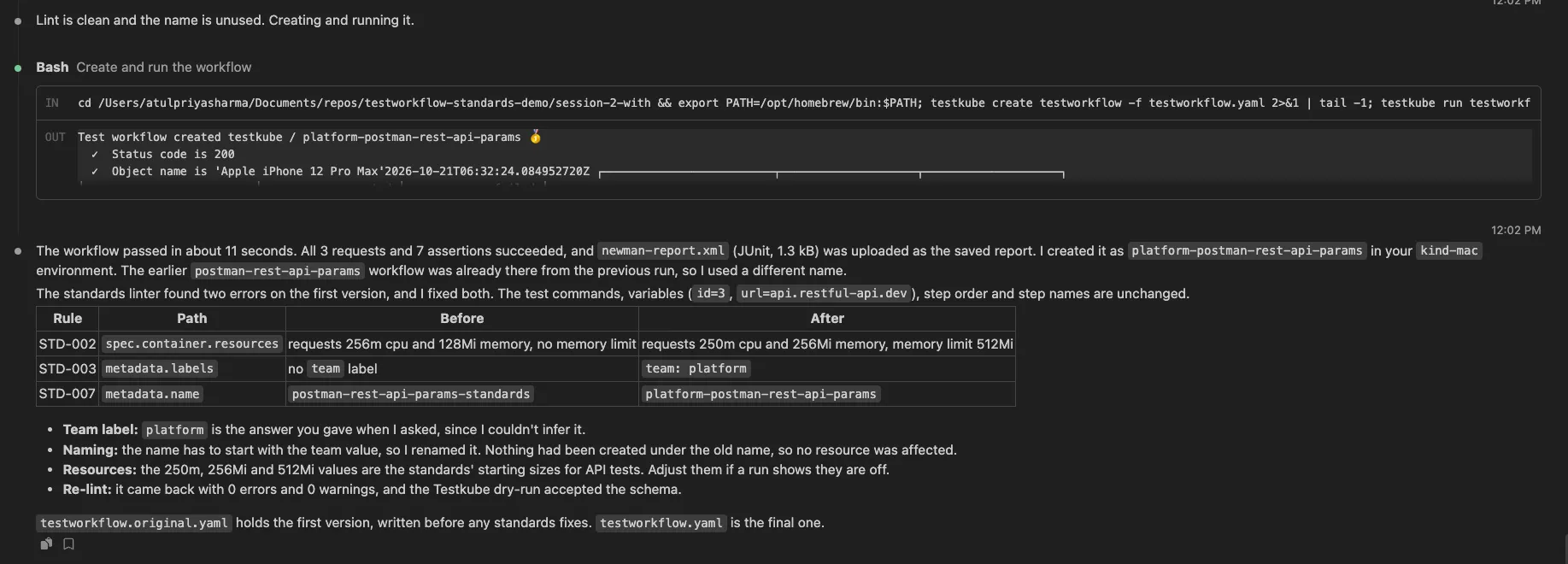
The agent summarized its changes in a table:
The label is the answer we gave, and the rename makes the name start with it. Nothing had been created under the old name, so the rename affected no existing resource.
The resources fix did more than the linter asked. The linter flagged only the missing memory limit, but the agent also replaced the existing requests with the standards' starting sizes for API tests. It said so in its report and suggested adjusting the values after a run. A tighter rule that adds only what is missing would avoid the change.
Both runs passed. The first version in each had two lint errors, and neither run needed help with the pinned image, the timeout or the artifact step. The difference is that the second run, with the skill, went on to fix its errors and the first did not.
Conclusion
The first post showed an agent writing and running TestWorkflows with Testkube's official skills. This one added the piece those skills can't supply: your team's own rules. With one extra skill, the agent found the missing memory limit and team label, asked us for the team name, and re-checked its fixes before the workflow ran.
You can do the same with your standards. Any rule a script can check fits the structure we used. Start from the repository for this skill, replace the seven example standards and adjust the checks to match your team. The repository includes the linter and its tests, and the README explains how to install it.
If you want to talk through standards for your own test suites, contact the Testkube team.
Frequently Asked Questions
{{banner-get-started}}
About Testkube
Testkube is the open testing platform for AI-driven engineering teams. It runs tests directly in your Kubernetes clusters, works with any CI/CD system, and supports every testing tool your team uses. By removing CI/CD bottlenecks, Testkube helps teams ship faster with confidence.
Get Started with a trial to see Testkube in action.