Table of Contents
Start your free trial.
Start your free trial.

Start your free trial.


Table of Contents
Executive Summary
The first week an AI agent works inside your test infrastructure usually goes well. It investigates a failure at two in the morning, posts a summary to Slack, and someone on the team says it saved them an hour. The questions start in the second week, and they come from the people who run the platform. Which model is it using? Who else can run it? What did it cost last week? What exactly did it do on Thursday night, and which tools did it call to do it?
Those are the same questions a platform team asks about any new system that gets access to the cluster. The difference with agents is that the usual answer, "review it after the fact in Git," only covers the part of the work that ends up in a pull request. An agent that runs tests, calls tools and spends tokens inside your platform needs controls that live inside the platform too.
This release adds those controls to Testkube. You can now decide which models an agent may use, who may run it, how many tokens it may spend in a given window, and you can see what it did. This is Testkube acting as the test governance layer for AI agents, and it is the part of the platform we have put the most work into this month.
Also in this release: GitLab support for AI Test Creation and the advanced Git integration, AI agents available inside test creation sessions, and a new timeline view of your test executions.
Governance for AI agents
The four controls below live together under a new AI Governance area in your organization settings. Each one is a setting an admin changes, with no agent redeploy and no change to the tests themselves.
Which models an agent can use
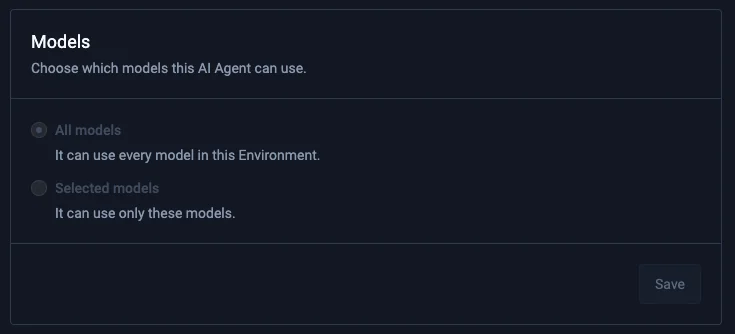
Every agent you define can now be limited to a selected set of models. The agent that files issues does not need the most expensive model you have access to. The one that investigates a flaky end-to-end suite might. You decide per agent, based on what you are optimizing for: cost, speed, or the best answer.
The same limit applies per member, so a new team member starts with a smaller set of models and gets more as they need it.
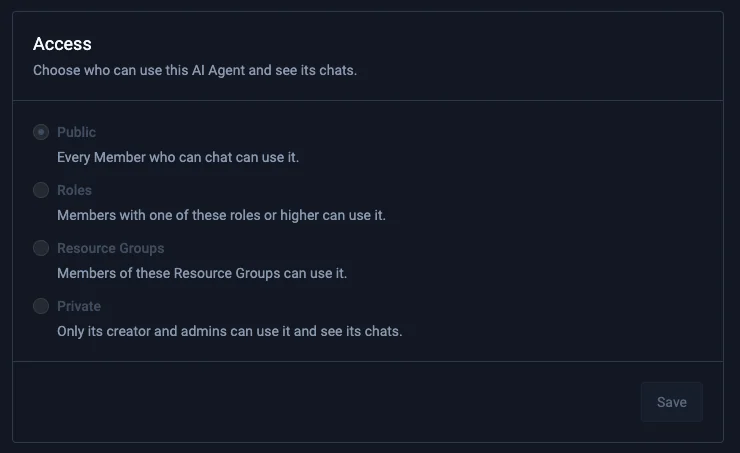
Who can use an agent
Agents used to be visible to everyone in the organization. Now you choose. An agent can be private, visible only to the person who created it and to org admins, which is the right setting while you are still building and testing it. When it is ready, you make it public, or you narrow it by role.
You can also put an agent in the same Resource Group you use to give a team access to a set of tests across environments. Only the people and teams with access to that group can use the agent.
How many tokens an agent can spend
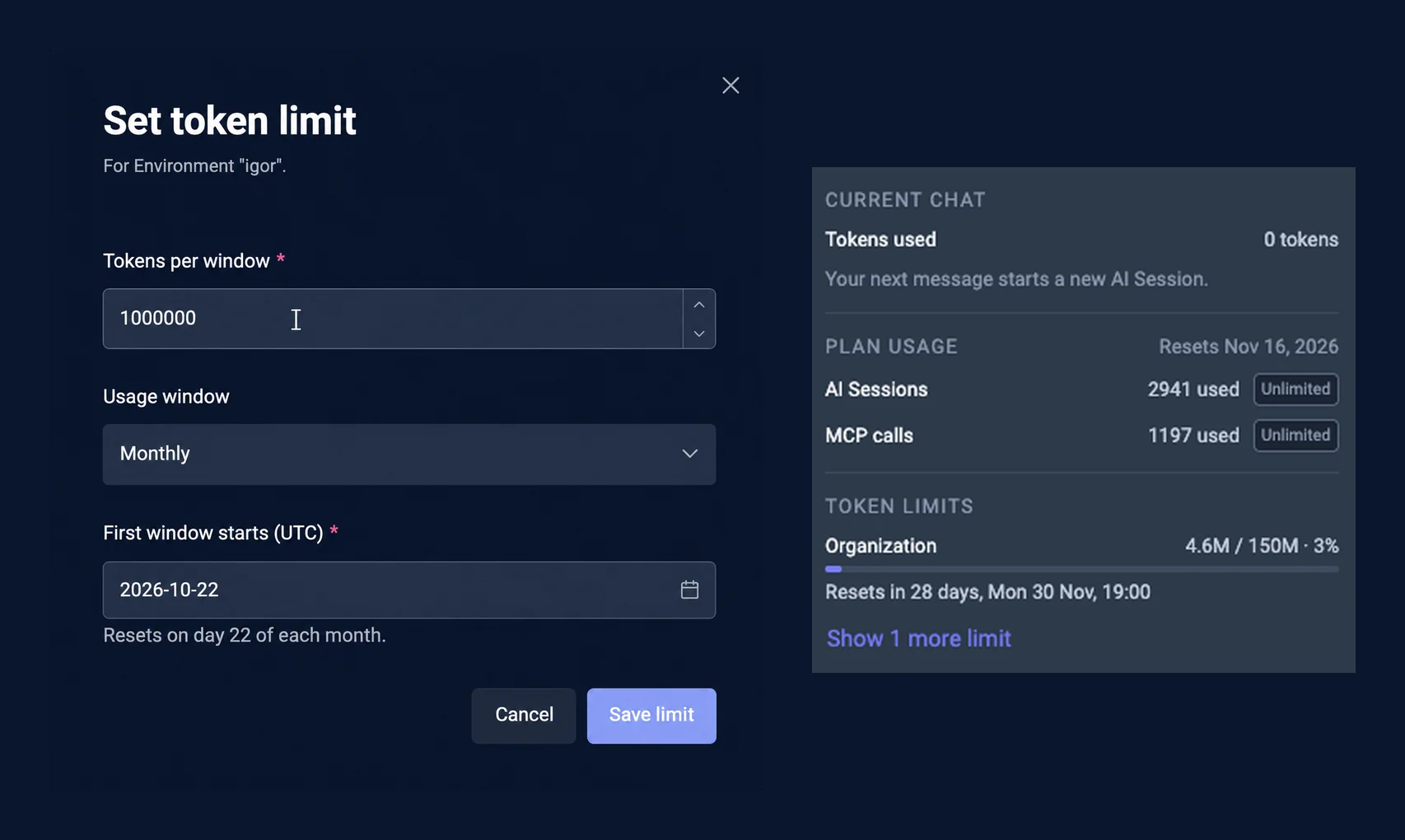
Token limits are the control most customers asked for. The concern is an agent that gets stuck in a loop and keeps consuming tokens until someone notices. You can now set a limit for a member, an agent, an environment, or the whole organization, over an hourly, weekly or monthly window, with a start date.
Several limits can apply at once, and the first one reached is the one that blocks further use until its window resets. The chat shows you which limits apply to it, and an admin can raise or remove a limit at any time.
Quick heads up: limits only work for models that report their token usage. The major hosted models do. Not every open source model does, and Testkube cannot count what a model does not report.
What an agent did
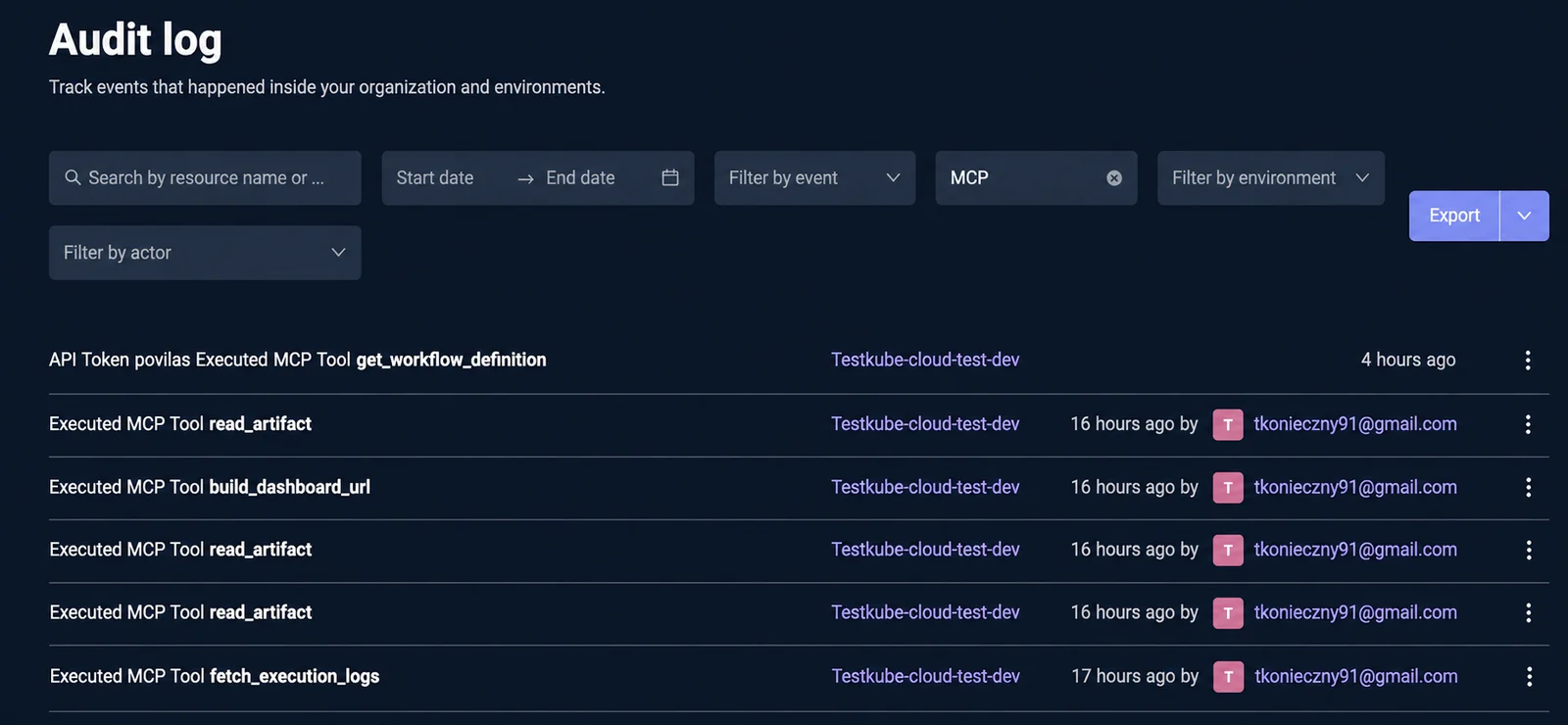
Every AI interaction in Testkube is recorded as a trace: the agent involved, the tools it called, and the data that went back and forth. The audit log now lets you filter on MCP tool calls, so you can see each call and what was passed, and export the log as JSON or CSV.
If you already run an observability stack, you can send those traces out of Testkube. Configure an OpenTelemetry export to CloudWatch or to any OTLP endpoint, and every AI session shows up in the tooling your security and SRE teams already use, at the level of detail they expect.
One smaller change belongs here too. New chats are now private by default. You can make a chat public when you want others to see it.
Your agents, inside test creation
A test creation session can now use the AI agents you have already defined. Because agents reach outside tools through MCP, a session can pull in context that lives elsewhere. Ask it to refine a test in line with a specific ticket in your requirements tool, and the session reads the ticket, compares it with the test, and adjusts. A session can also take an action in another tool as part of creating a test, such as opening an issue for a gap it found.
Any tool with an MCP server can take part, and the governance controls above apply to every agent a session uses.
A timeline of what ran, and what it cost
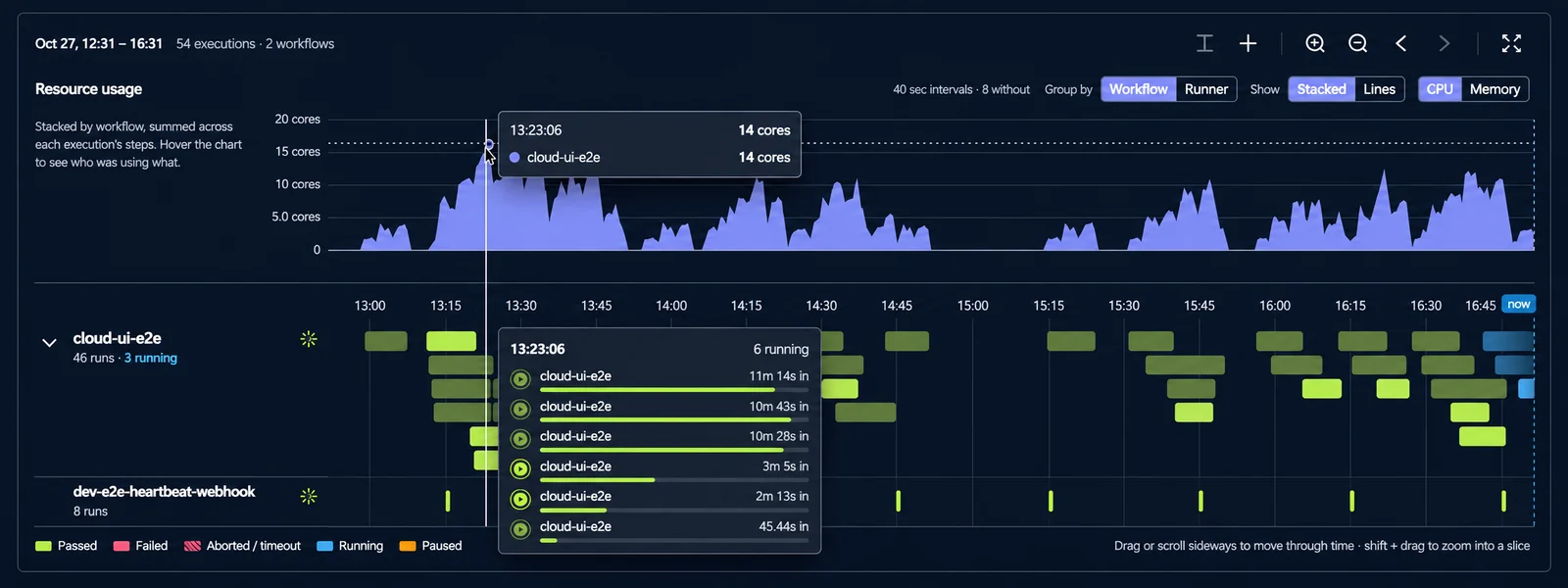
The new timeline view puts every test on a time axis, with each execution marked, so you can see which suites run every fifteen minutes, which ones ran in parallel for a set of pull requests, and which ones failed. Hover for the result, click to open the execution, filter down to the tests you care about.
Above the timeline, CPU and memory consumption are plotted for the same period, and you can slice by Runner or Workflow. That makes two questions easier to answer: how much infrastructure your testing needs at peak, and whether your schedules are stacking tests on top of each other.
The view updates in real time, and can be shared as a link, so it works as a standing operational view for the people who run the clusters.
Also in this release
- Search across all the logs of an execution from one combined view, instead of step by step.
- A clearer flow in AI Test Creation for reviewing changes, seeing artifacts, and pushing to your Git provider.
Where this goes
The earlier Testkube AI releases gave your team reasons to try agents: investigation with the evidence attached, tests written in your framework and run in your environment, and test context available to whatever AI tool you use.
This release gives your platform team what it needs to let them in. Start with one private agent, a short model list and a weekly budget, and widen each of those as trust builds.
All of the above is available now in Testkube Pro and Enterprise.
{{banner-get-started}}
About Testkube
Testkube is the open testing platform for AI-driven engineering teams. It runs tests directly in your Kubernetes clusters, works with any CI/CD system, and supports every testing tool your team uses. By removing CI/CD bottlenecks, Testkube helps teams ship faster with confidence.
Get Started with a trial to see Testkube in action.