
.webp)
Table of Contents
Start your free trial.
Start your free trial.

Start your free trial.


Table of Contents
Executive Summary
A couple of weeks ago, we launched a preview of AI Test Creation in Testkube, a super cool feature where you describe a test in plain language, and Testkube generates it, runs it in your environment, and opens a pull request with the result. In case you missed it, here are all the details, definitely worth checking out: September release post.
The great news doesn't stop there. This release brings that functionality to our on-prem users and goes deeper into another familiar part of testing: figuring out why a test failed.
Usually, that means opening the run and digging through logs before you know where to start. Testkube now shows failure categories directly in the executions list, giving you an idea of what went wrong before you open the details.
We've also updated user management, added caching to further speed up your tests, and made many additional improvements to Testkube's core troubleshooting and test orchestration capabilities. Here are all the details:
See what kind of failure you're dealing with
Failures are now sorted into categories and shown at the top level of the executions list. You can filter executions by failure type and drill down in the Insights module correspondingly. You can also use the failure type to send different webhooks for different types of failures. For example, you might notify one Slack channel on infrastructure failures and another on test failures.
At a high level, all failures are grouped into the types below, with a number of reason codes within each type of failure:
Get the entire list of reason codes and all corresponding details in the failure reasons documentation.
Manage users more easily
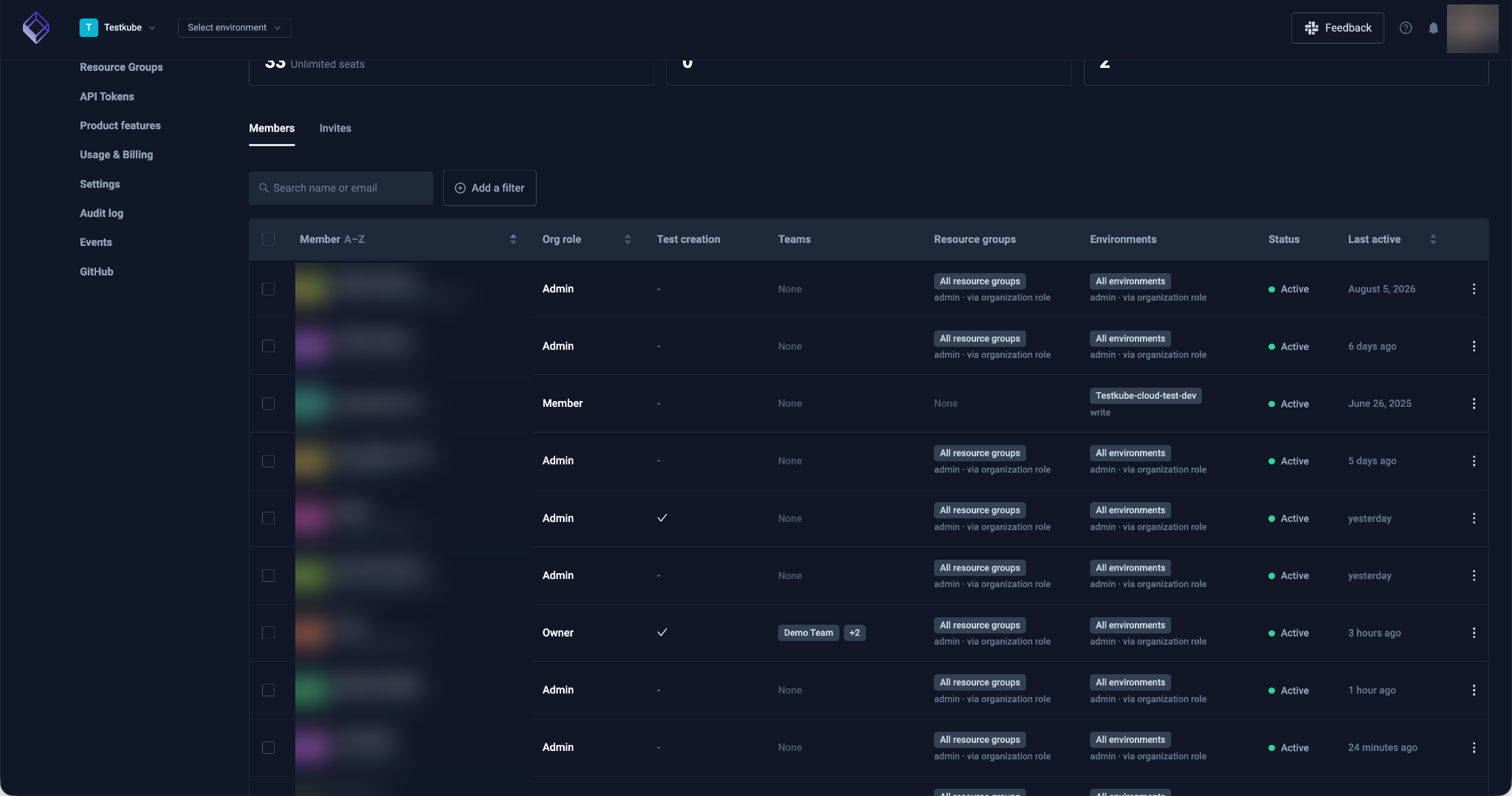
For admins managing a large number of users across multiple environments and resource groups, we've reworked user and permission management at the organization level to make it easier to find users, manage their permissions, and perform bulk actions on multiple users.
Dependency caching between executions
Workflow setup work, such as downloading dependencies, can consume a considerable amount of time in relation to the overall test execution. You can now cache these dependencies or any other intermediary output between executions, resulting in substantially faster testing pipelines, with extensive options to configure cache keys and expiration times. Read more in the dependency caching docs.
Testkube results, inside GitHub
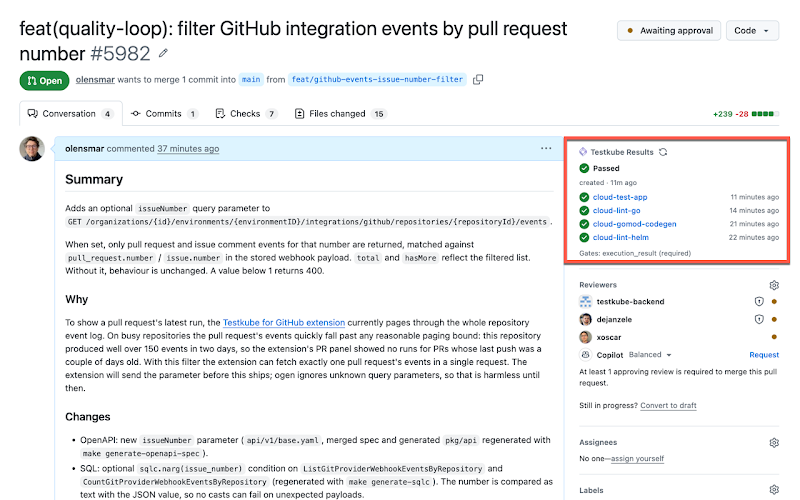
The Testkube for GitHub extension is now available in the Chrome Web Store. It shows Testkube results in GitHub for tests that run your repository's test suite or are triggered by its pull requests.
Also in this release
Audit logs
We've improved filtering to help you find the activity you're looking for. Search by name or ID to quickly identify all actions related to a resource.
Execution Agents are now Runners
To avoid confusion with Testkube's AI Agents, we have renamed the component that executes your tests to "Runner" (previously "Agent"). Commands and components have been renamed accordingly, with backwards compatibility in place to avoid operational disruptions. Read more in the Runners overview.
JUnit report links
You can now link directly to individual items in a report, for example, if you want to share a direct link to a failed test case within a large suite of tests.
Rerun and mute
This release makes it substantially easier to rerun or mute individual test cases when running your Workflows, depending on the corresponding capabilities of the testing tool you are using. Check out the rerun docs to see how to set this up for your tests, with guidance for common testing tools included.
Passing inputs and outputs
Composing multiple tests into complex test suites often requires the passing of input/output between them, which is something that was previously only possible between steps in a single Workflow. This release adds capabilities that make it possible to pass parameters and files between separate Workflow executions as well. Read more in the execution sharing docs.
TestTrigger enhancements
A single TestTrigger can now listen for multiple event types, instead of having to define multiple TestTriggers for this purpose. Read more in the TestTrigger events docs.
AI thinking levels
You can choose low, medium, or high for models that support it, for example, Anthropic's and OpenAI's latest frontier models.
AI Test Creation webinar
Join us to see AI Test Creation in action, you will learn how you can build tests from plain-language descriptions and run them in a real environment on October 8 at 11 a.m. ET.
{{banner-get-started}}
About Testkube
Testkube is the open testing platform for AI-driven engineering teams. It runs tests directly in your Kubernetes clusters, works with any CI/CD system, and supports every testing tool your team uses. By removing CI/CD bottlenecks, Testkube helps teams ship faster with confidence.
Get Started with a trial to see Testkube in action.