May 21, 2026
1
:
10
:
11
.webp)
Ole Lensmar
CTO
Testkube
See how to orchestrate YOUR tests with YOUR tools
Further Reading


No items found.
📣 New for engineering leaders: release confidence in the agentic SDLC. Get the guide →


I think we're live. We are live.
Ole, good morning. Good afternoon. Can you can we see the plushie? Let's do a quick video test right there. There is a plushie.
Nice to hear. You just wanna see the plushie.
Good morning, good afternoon, and good evening, wherever you're joining us from. If you're here for the Testkube AI, and I'm going to brag a little bit more about that. If you're here for the highly awaited Testkube AI, the future of testing is here webinar with with our one and only Ole Lensmar. You are in the right place.
We started a few seconds earlier because there's a there's a quick ceremony that Ule and I like to do while we let all of you dial in. We have quite a bit of an audience today, we want to make sure that everybody is in before we get started. So again, welcome everyone. If you're here for Testkube AI, you're in the right place.
Welcome. How are you?
How is how is everything I'm great, Lucio.
How are you?
I'm I'm excellent. Very happy to be here. Likewise. But let me let me ask you, and if you don't mind sharing with the audience, where are you located today? And if you can tell us a bit a little bit about the weather this afternoon.
Of course. I'd love to talk about the weather. I am just located just a little bit outside of Stockholm in Sweden, and the weather is actually really nice. It's kinda warming up. It's still very light. It's, like, seven PM.
It's beautiful outside. It's the best time of year.
So if you're ever ever gonna go to Stockholm, Sweden, this is the time to come.
End end of May, beginning of June.
Does it does it ever get hot out there? I have, like, this very wrong view of anywhere in Europe is very cold and, you know, gloomy.
Well, not well, not by your standards. It doesn't get hot. It doesn't go, it gets warm, but it doesn't go over, like, thirty degrees Celsius. I don't know what's that, ninety?
Eighty five degrees Celsius.
About eighty, eighty eight. So Yeah. So quick math.
It's unusual, although it's getting warmer here, but it's, it's it's really nice. But but, I mean, don't keep the audience waiting, Lucio.
How is where are you?
I'm I'm in Orlando, Florida, for those of you who who are or may not be curious.
Today, we are exactly eighty nine degrees right now, and the highest is gonna be ninety. Cold. And it's sunny and a little bit cloudy. So beautiful day here as well for those of you who may enjoy the heat of late spring, early summer.
But I think we are good to go. Ole, what do you say we go ahead and kick this party off?
Let's do this. Let me see.
Alrighty. Again, welcome everyone. If you are here for the Testkube AI webinar, you're in the right place. I will be your emcee today.
And we also have with us Ulle Lensmar, our CTO here at Testkube. Before we get started, there are a couple of things that I want to run by the audience, couple of housekeeping items. We have a QA session at the end of the webinar. However, this is your time.
We prepare these for you to understand what Testkube AI is about, to understand what Testkube is about. And we're going to give you a lot of details and we also want you to ask a lot of questions, but please do me a super, super favor. Do not wait until the end of the session to ask those questions that you may have. There is a Q and A button right there in the panel that you are using to watch this webinar.
So go ahead and click that, put your question, we'll queue it up and then as soon as we can we'll get to it. I'll be in the background trying to answer questions for Ulle and if I cannot get to that Ulle will try to answer and worst case scenario we'll follow-up with you via email.
This webinar also will be available on demand starting tomorrow and then so if in the unlikely case that you need to jump off, you can always go ahead and watch it and start where you left off. And last but not least, please go ahead and visit testcube.
Ioai, where you will find all the details about the amazing things that we're going to discuss today.
Amazing things.
Exciting. Everything is going to be so cool. So, before I pass the time to Ulle, things that we're going to discuss today in the next few minutes, we're going to tell you all about the, we're going to give you a quick overview of Testkube just in case you are brand new here or don't know, or are getting to know us today. And also we are going to talk about all those AI induced bottlenecks in the testing world.
We understand the pains that you're going through and we want to show you that. And then we are going to give you the introduction of Testkube AI. Ulleh is going to talk to us about these, all the cool features and then followed by a demo that we have prepared for you. And there is also some of these features you will understand or learn today that are under the early access program.
So we're going to explain to you how you can join, how you can get started, what is in it for you. And also Ulle is going to give us, as we talked earlier about, we are going to have the Q and A session. So without further ado, Ulle, the time is yours.
Take us all.
Amazing. Thank you so much, Lucio. And once again, questions, please feel free to interrupt.
I'm here and we're here for you. Okay. So just kind of a level set. Not everyone has heard of Testkube yet.
We're working on that. Just to give you a little bit of a background. So Testkube is the open testing platform for AI driven engineering teams. And breaking that down into something a little bit more tangible, Testkube is a platform that allows you to run your tests inside your clusters.
It provides a control plane that then manages all your tests and makes that that accessible from your dashboard, through CLI, APIs, and MCP server, or from your CI CD tools. It's open, meaning that it's vendor agnostic, meaning that it can run any kind of tests. So it's not tied to a specific testing framework or tool. You can run your end to end tests, your API test, your load test, your security test, your conformance test.
Whatever you might be using today, TestKube will be able to take that framework and run it, in its execution engine. It's also open in the sense that it has an open core and open sore source core component that you can get on GitHub and you can use to kind of explore the platform and, many of its core features.
It's cloud native, meaning that it runs inside your, existing Kubernetes environment, and that's also what it leverages to do a lot of the magic that it can do.
It also means that it's running in your infrastructure. So Testkube is an on prem product in the sense that it's not a cloud execution, app solution.
It's not something that you where you have to outsource the execution of tests. It's always running inside your infrastructure both for security, for performance, and for compliance, and, of course, for also making the most of the infrastructure that you already have and running the tests as closely to your applications and your services as possible. And finally, what we're here to talk about today is that it's AI native, meaning that TestKube has really AI infused into the platform. AI TestKube and TestKube AI features, they know about your tests, your environments, your test execution history, your dependencies, everything related to all the tests that you're running with all the frameworks that you're using in your Kubernetes infrastructure, which, is then all exposed through different AI features under the, TestKube AI umbrella, which is what we're here to talk about more.
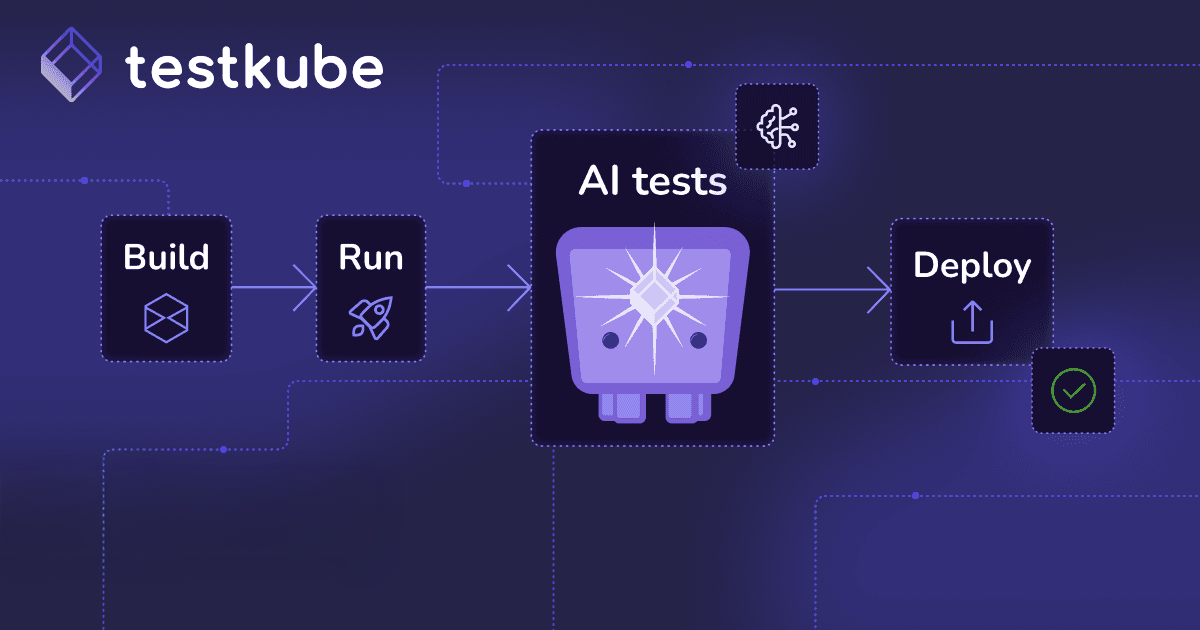
Jumping ahead here, let's talk about the testing bottlenecks that we see today with our existing customers and people that we talk to that they're kind of facing by the AI driven pipeline, meaning people are onboarding more and more AI to write more and more tests and write more and more code, which needs more tests. So the an initial bottleneck is just, creating having test coverage or tests for all the code that you are creating or that your teams are creating with AI.
The next bottleneck, once you have all those tests, either if you created them manually or if you use even AI to generate them, is that you need to run them. So you run into a test execution bottleneck. You you're running many more tests than you used before, and your pipelines, your CICD tools, or whatever you might be using become kind of the stopping point for all the tests that you've hopefully hopefully written, to alleviate the first bottleneck. And the third bottleneck is around test analysis.
So let's say you've pushed all through all these tests that you've, written to kind of, fix the earlier bottlenecks. Now someone needs to to analyze all those tests and look at failed tests because some tests will fail and try to detect anomalies, and why is this test slowing down, all those kind of things. So these are kind of bottlenecks all driven by just the the the, you know, the amazingness of AI helping us maybe, be more efficient at writing, applications and code, early on in the life cycle.
And what these bottlenecks usually lead to when on the test creation side is that you have low test coverage, which, of course, could result in buggy code. I'm sure you're familiar with that. AI is not doesn't always have the whole picture, so it might be solved if you ask it to implement some feature, it might not be aware of that that implementation has ripple effects, and you'll need to hedge for those, to create your, to make sure that, you know, bugs don't escape.
The bottleneck and the frustration you'll see from contentious builds is obvious. Right? Instead of having to being able to run your tests, your builds in five or ten minutes, now the team has to wait twenty, twenty five minutes, which, obviously, can be extremely frustrating if you're in a hurry and you're shipping a lot of stuff.
And then finally, if you have a lot of, issues, showing up in your pipelines, the MTR medium time to resolution for flakiness, for just failed tests, for anything related to tests really sky can really skyrocket. You can think of all of these things amplifying each other, which can, of course, stall releases and decrease release confidence.
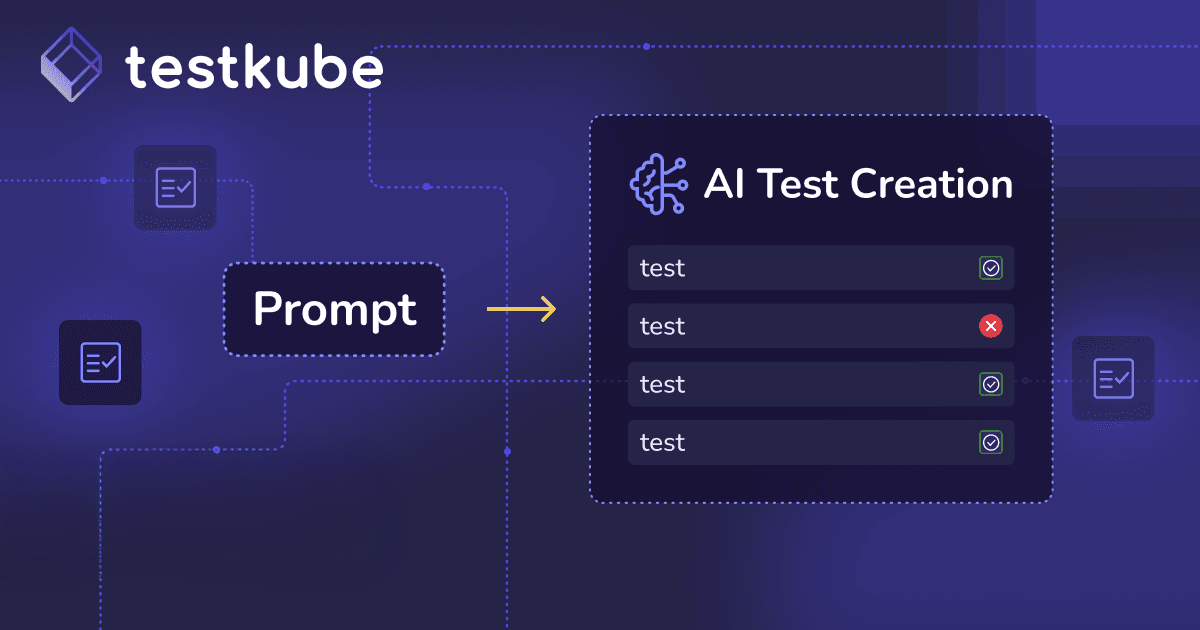
And these are things that we've heard, of course, from our customers, and that's what we wanna target with TestKube AI, which is what we're, here to talk about today. So TestKube AI is as I said before, it's really, the the AI functionality that we've infused into the TestKube platform, and it it rests on three main pillars. One is AI test creation, which is, what I'm gonna do let me show you all of this. It's the capability to use AI to create and off your tests inside TestKube, then, of course, immediately run those tests, using execution run time.
The next is AI agents, which you can you you can define to do almost any task related to testing and quality. So agents could be used to optimize how you run your tests, which tests you run. Agents could be used, of course, to triage Why a test failed, agents could be used to remediate, suggest kind of fixes if they have access to your source code and any other context they might need to do those things. But agents could do many many more things.
They can they can be used to generate reports or do more long term analysis of your testing efforts. They can be used as quality for quality gates, and they could be used for flakiness analysis and all that. It's really up to you depending on what context you give an agent access to through MCP servers and the prompts that you craft and the models that you use and then how you inject those agents into your testing pipeline. And then, of course, Testkube becomes the orchestration platform, not just for your tests, but for your AI agents, to work on those tests and test results as well.
And, of course, there's an MCP server because that's a natural thing to have, today, which allows you to interact with Testkube from your IDE tool your IDE, AI tooling, your AI IDs, like, Cursor or Cloud or whatever, but also from your, other, agent frameworks, that you might be using to automate your tasks.
So if we go back to how Testkube AI specifically helps with these bottlenecks, AI test creation is obviously the thing that is gonna help you with test creation. So and test coverage is really one of the main asks we have from our customers. People ask, can can Testkube AI help us write more tests or create help us kind of close the coverage gap that we're seeing introduced by using AI to generate more code? Testkube agents can help you to both be more efficient on test execution and on test analysis. You could create agents that can select which tests to run, maybe prioritize which tests to run first. If you need to run a bunch of tests, you might wanna in sequence, you might wanna run the one that's most likely to fail first so you don't have to run all the other ones unnecessarily.
You you could also use agents to optimize the configurations of your tests, maybe to kind of adjust the sharding of your Playwright test or adjust the memory allocations of your, JMeter or k six tests to be as efficient as possible. Because once again, TestKube and TestKube agents have access to all historical data for your test executions that have been running in your infrastructure.
And then, of course, post execution, test, agents can do invest Invest Investigate, failed test results. They can do triaging. They can do deep root cause analysis. They can do remediation in the sense that they can suggest fixes to, you know, you know, maybe why the test failed.
If you give an agent access to your source code, it could look at the recent commits, and it could look at why the test failed. Maybe it can figure out how this was actually the change that, resulted in the test failing, and it could open a pull request for you. You should definitely have a human in the loop there to, approve that. I'm not, and I'm still not entirely swayed by the whole self healing aspect, but definitely getting there.
And as you kind of build trust in the prompts that you've built and the agents that you've defined and the models that you're using, maybe some, level of autonomous or automatic, remediation is something that you'll, get to eventually. And, of course, the MCP server can help you across all of these steps, from external tools. Right? So, you could be using, I don't know.
You could be running you could be writing code in your maybe using Cloud to write code, and then you could using TestKube MCP server, you could say, hey. Run these tests against the updates that I've built in this service. It'll run the tests for you, give you the results, and then you can do an analysis. And then Cloud could you know, or the model that you're using could associate the test results with the changes that you've made to the code locally.
So there's a lot of ways you can tie this into the your workflow while you're developing and testing and operating your environment.
True story here is that we actually while we were when we kind of finalized Testkube agents AI agents in one of the earlier initial iterations, and I was kind of going through the backlog of of things that our customers or users have been asking for, it was really astounding to realize that a lot of the features that people have been asking for are things that you can now do with AI agents, and we could more or less remove them from the list and include these either as examples or templates in the product itself. So for example, automatic reruns, a very common request. If a test is flaky, I would like it to run auto if it fails and it's deemed to be flaky or a flaky failure, I want it to run automatically.
Perfect use case for an AI agent. The agent can look at when a test fails, it can look at the failure. It can try to compare that to previous results and decide, okay. This does look like a flaky test.
I'm gonna rerun it for you.
Another one is, like, flakiness detection and remediation. If it does detect that it's flaky, it could rerun it, but it could also kind of try to figure out, okay. What is causing the flakiness? And maybe it could suggest if you could once again give the agent access to the, MCP servers for, I don't know, your operational metrics or your runtime environment or whatever else or source code or configurations. It can detect kind of what was actually causing the failure, and suggest how to fix that.
A very common use case, that people have asked us about is just integrating with issue trackers. Right? And there's a lot of issue trackers out there, and there's obviously Jira and Linear and, I don't know. Those are two ones come to mind, but there's so many more.
And, of course, there's bunch of other tools, around collaboration and notifications and test management. And this very common ask is is, you know, can Testkube work with those tools and, work intelligently with those tools? Right? If I have a test failure, I'd like to get a nice analysis why that test failed and open an issue in whatever tool I'm using.
This is a perfect use case for AI, and since almost all tools today have MCP servers, it's, it's also very easy to put into place. Anomaly detection, another one is a common ask. Can just to kind of look at executions over time and say, hey. This is slowing down or it's consuming more memory, and it could based on that, say, hey.
You should bump up the memory you're allocating to your, I don't k six test, for example, or whatever. And all of these things AI agents can do now. It'll take you some prompting to get it right, and to make sure you have all the right tools in place. And but, ultimately, a lot and these are just examples, kind of top of mind.
But AI agents in general, if you're kind of thorough with how you prompt to to avoid kind of nondeterministic results, can go extremely far, which is kind of super interesting and obviously super, good for our users and customers can now because then, okay, they can do all of these things under a generic framework that we've, provided in the product.
Okay. That's a lot of talk. I'm going to, jump straight into a demo. And, of course, demoing has its challenges, and I'm going to demo a nondeterministic technology to you, AI.
So what can go wrong? Let's see how things work out. Before I'm gonna jump to the demo, I do realize many of you here are are new to Testkube. So I'm just gonna do a very, very, very high level overview what Testkube is, and just to kind of level set a little bit and and what it looks like.
So what we're looking at here is the dashboard exposed by the TestKube control plane, if you remember that slide a little bit earlier. And TestKube uses a concept concept of a test workflow as its abstraction to run tests. So a test workflow can run any kind of test. And you can actually these are actually our internal tests that we run for Testkube on a daily basis, and you can see here a bunch of different type of tests.
These are end to end tests. We're using usually using Playwright, but there's also tests using py tests, and there's tests using k six and other a bunch of different type of tests that we're running. And these are all abstracted as test workflows, and I'm the reason I'm I'm gonna home I'm a little on that because I'm gonna get back to it a little bit later. And for each test workflow that can be triggered then from your my CIC tool, for example, I can run these test workflows from GitHub Actions or Jenkins or etcetera.
So we're not asking you to replace your CI, tool. We're asking you to, outsource test execution from your CI tool to Testkube, but, of course, the rest of your pipelines should still stay in CI or CD.
These are all the executions. So so these are all the tests or workflows that I've run-in my environment. I'm just gonna filter these all the failed ones, and these are the past ones, etcetera. And, of course, I can filter and slice and dice this data. We run thousands of tests every day on the platform itself. And we've used we've tagged these workflows in ways that work for us, but you could tag these workflows based on your team or your application or your whatever you might want to and then create filters and and reporting and all those kind of things on on top of that.
That's where I'm gonna stop at the very high level, just because, test workflows and executions are kind of **** **** to also many of the AI features. I'm gonna get back to that.
There's all of obviously, a lot more you can do with Testkube. And, if you're, go to the documentation or the website, and there's a lot more to read or just get in touch afterwards if you want a more thorough demo of all the other stuff.
Okay. Let's jump back to Testkube AI. So the first thing I'm gonna show you is, the test creation, which is really the new feature that we have not made publicly available yet. We're gonna, you know, we have an EAP program, shoot, that you can join.
We'll talk a little bit about that later. And what I'm gonna show you here is still an internal mock up, so this is not the actual working, or not the actual how it's gonna look at the end, but it's kind of what we're working towards. So the idea here is really to be a, I don't know, for lack of a better comparison, lovable for automated testing. Right?
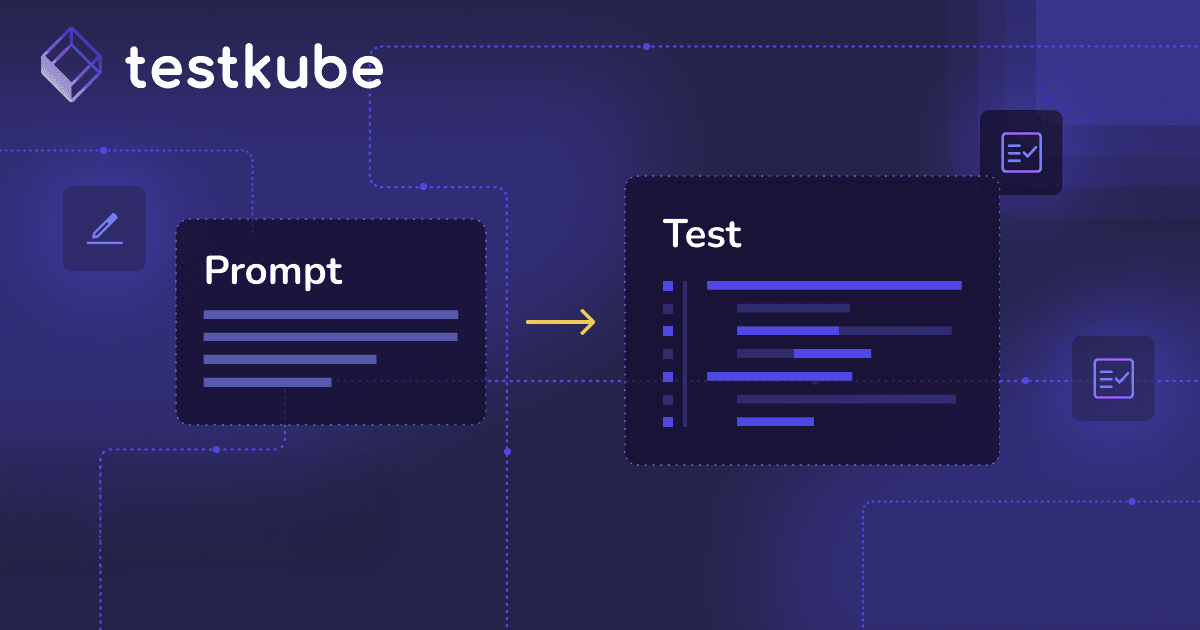
We want you to be able to, prompt whatever kind of test you might want to create. And since we can run with any framework, we're not tying you down. You know, you have to use Playwright for end to end tests, or you have to use k six for performance tests. If you want, TestKube to generate a Cypress test for you or a Selenium test for you or a JMeter test or an artillery test or a Postman collection, whatever, AI is very capable at generating code and that kind of stuff.
So Testkube will be able to do that, and then also take those tests and run those tests immediately inside your infrastructure against your actual application. So let's have a look at what that could look like. I'm just gonna, use a demo prompt here for creating an API test. So what's happening here is I've simulated a prompt to ask it to generate an API test for a REST endpoint.
And, what it's doing now is these are the skills that we've built internally for API testing, is that it's exploring the API itself, and it's generating the Postman collections for that API.
And once it's done that, it's actually gonna run that test using Neumann, and to show you the results, to to kind of see what that test worked like. And in this specific case, the initial generated test for Neumann failed.
So it kind of went back and say, hey. Something went wrong here. I'm just gonna recreate that test and improve it. So this all went pretty quick, but I'm gonna recap what happened here.
So the Testkube here, the AI in Testkube generated a Postman collection for the API that I wanted to test. You can see the Postman collections files that it generated here in the middle. I can click them, and I can use AI prompts as I could would do in other tools to refine these Postman collections and ask it to add assertions, try try some other endpoints, etcetera. It also generates the workflow.
This is what I talked about earlier, and then runs that workflow inside my infrastructure.
And here you can see the output from the Postman execution. And this is where the power really comes into play here. This this test is running, where Testkube is running in my infrastructure. So I could be running this test immediately against an API in my staging So you can think of the use case saying, hey.
Someone's saying, hey. Our authentication service is acting up in staging. Could you have a look? So you could go in here and say, hey.
I need an API test for the authenticate endpoint in the authentication service and run that in my staging environment.
Testkube will generate that collection for you. You might have to iterate a little bit on it to get it right, and then it can immediately run that for you in the environment. Right? So there's no need of you to build it locally and then to figure out, okay.
Now how do I automate that in CI/CD? How do I get it into the production environment where I want to run it? Testkube, of course, also has data for any previous tests that you've run against that authentication service. So it can factor that into when it creates your tests.
And, in that case, build really tests that are really, you know, applicable to what you're actually doing. I'll show you another example. Let's go back to the prompt here for a k six test, so a performance test. So here, it's just a a a dummy prompt builder performance test with k six.
So you're gonna see here it's gonna explore an API, and it's gonna start generating, k six test file. K six is a very common, testing tool, load testing tool based, which uses TypeScript for the actual, tests. You can see here it's generating those tests, and it's running those again in, my environment. And it these tests failed.
It didn't live up to the performance criteria that I wanted, so it's gonna go back and try to improve those tests, to to give me a better result. And the here's the ultimate output once again of that k six text that was immediately generated by test. Once again, the use case, someone goes to you and says, hey. There's some performance issue with, I don't know, the, search service in our dev environment.
Could you check that out? You could immediately say, hey. I need to check the search endpoint. Could you create a k six test to make me do that and run that in our dev environment?
As you can see, I can generate the test, but I can also take that test, immediately run it, and look at those results. And I'm gonna also show you how can then you can use AI to analyze those results and maybe troubleshoot and understand what might be going wrong.
Well, since you are in the test creation part, I I there is a question that I would like to bring up to you that we have in the QA right now. It the question says, does the AI understand the syntax differences between, say, Cypress, Selenium, Playwright, or Postman well enough to generate the correct native code for each one of them?
Yes. Short answer. Yes. It does. Yeah. So great question. So there's a couple of answers to that.
One is test since Testkube has access so if you're if you're an existing Testkube user or you've already used Testkube, there will likely be a bunch of tests in, that you've configured Testkube to run for you. So Testkube will know that you're already using Playwright or Cypress for your end to end tests, or it'll know what tools you already so it's going to ask you at least or suggest that it looks like you're already using this or that tool. Should we continue using that? If it's something that it's not aware of that you've used before, the skills that we're building to generate these tests will prompt you and ask you, like, which framework do you wanna use?
What language do you want to use? There's just the we understand that not everyone might want to use the model that we think or the, sorry, the the tool or that language that is maybe the most common one or the default one. So we're we're diff we're actively tailoring the skills that we're building to help Testkube build the test for you to also prompt users for the input. Obviously, you didn't see any of those prompts here because I wanted to show kind of what the end result would be, But it's it's a great question.
And, of course, this is where the AAP, which I'll get back to later, is so important to get you into that and to get your feedback, on, you know, hey. We're using this framework with that tool. Can that really work? And how can we make sure that Testkube can generate the tests for PyTest or, I don't know, you name it, some some combination of, of tools, languages that we want just want to make sure.
Okay. Final one I want to show is Playwright. So this is a create a Playwright test for the To do MVC, which is a popular online application. Sorry.
Hope that answered the question, Lucio. Please get back to me afterwards. Otherwise, we're later. So this is actually now exploring the application, using Playwright, itself and creating, as you can see, the Playwright tests here in the middle.
And once it's done, it's gonna run those tests for me. And, this is gonna also tap into a parallelization feature that I have in TestKube where it runs all those Playwright tests in parallel.
You'll see here that one of them failed, so it's gonna go back and figure out that there was some error with the locators, and it's gonna go and, hopefully, fix that test, and we can look at the output from each of those nodes that was, running that Playwright test for me. And the tests here generated in the middle, of course, you will be able to push this to GitHub, right, or to whatever git source code management system you're using. So you can take those tests, refine them using your own tooling or your own prompting, push them back, so to to get so TestKube can pick them up from there, similar to, like, what you would do with the five coding tool like Repl or Replit or Lovable where you'd you'd have a two way sync with your source code. You'd have a two way sync here with your automated tests.
Okay. So we've seen kind of three examples, and I really wanted to highlight here that Testkube is tool agnostic in the sense. Right? I was able to generate a an API test, load test, an end to end test. I can then run those tests inside my infrastructure.
We're not kind of tying you into any specific framework, and we'd like to think that Testkube or the AI underlying AI that the models that are being used here can generate almost any kind of test because there's large tests out there that that it's been trained on.
So let's have a look at this specific workflow, what this looks like in, the TestKube dashboard and kinda some kind of the downstream actions you might want to. So once again, we can look at that execution that we had. So this was the Playwright test that ran across, five workers. Right? And we have the different results here. Let's go back and look at, we had some I did some previous executions earlier here of that test.
And so we can have a look at the one. We saw here we had a failure. So what I'm gonna do here is now I'm gonna switch to the AI agent functionality, and you can see there's an AI analyze button here at the top. I'm just gonna select that. And here, by default, it's gonna select the troubleshooting agent, and it's also gonna select the default model that I've configured. I'll get back to that a little bit later, and I'm just gonna press analyze.
And what's happening now is that the agent is now retrieving the logs and the artifacts from that Playwright execution, and it's gonna take a little time because it usually takes a little time. And it's going to, hopefully give us a somewhat thorough, analysis of why that Playwright test failed. So, oh, here we go.
You can see kind of it's working. So here it's telling me. Here's what happened and how to fix it. So right here's where's the failure, where's the ex exact test failure, how to fix the test, and why the rest of the workflow is healthy.
So super easy for me instead of me having to kind of look through the logs, and, obviously, this is a simplistic example, but you could say, you could say that having you could be running to a Playwright test which runs hundreds or thousands of test cases. You have lots of logs to sift through, obviously, something that AI would be, much more efficient at doing. This is just a really simplistic way to show you how troubleshooting can be invoked directly or troubleshooting agent can be invoked directly from, the dashboard. Let's go back to, that specific workflow.
It was called to do.
We can also ask it to do more, an an analysis of all of the executions of this workflow. Right? So I want I want a little bit more of an a report on the how this test has been behaving over time.
Maybe if it can identify some trends. And these are built in agents into the platform. I'm gonna show you that, which agents that are included, but, of course, you can also craft your own agents that I think I've alluded to a couple of times.
Let's give this, let me catch my breath.
Here we go.
So you can see here that it's looking at the executions. It's building a nice table here for me for all my executions and also giving me, like, resource usage patterns. It's telling me how much memory CPU did this test use, and it's gonna give me some some suggestions on how to improve the execution of this workflow. Obviously, simplistic, but let's say you have a Playwright test or k six test that's been running for a week in your environment.
Say, hey. Analyze how this test has been running over the last week. Tell me what to optimize. Tell me if there are some outliers.
Tell me how I what I can do to improve the execution of tests to improve the like, if you the middle, bottleneck that we had. There's a lot you can do with these agents. The last one I'm gonna show you here is, let's go back to failed test. Let's just go and see what happens here.
Let's just pick up a any failed execution.
Let's try this one. I'm just gonna pick AI analyze here, and now I'm gonna take an agent that actually interacts with Linear, which is, the tool that we use internally for all our issue tracking. So for this specific agent, I've configured it to do the troubleshooting, but I've also then asked it to create an issue in linear, which I can then assign to someone to actually look at. So this is just an example of how you can kind of take that intelligent summary, that triaging that it did, and then push that into another tool. So let's give some time here.
I don't know, Lucio, if you have some questions I can answer while the agent is doing its thing.
Can that that we can actually, one very interesting question that we got earlier, we answer it on text, I would like to bring it up to to also the rest of the audience is in relation to test creation. And the question goes something along the lines of, if I'm already using AI to generate code, why the user use the same AI tool to generate the tests for that code as well? Why is there a need for a separate tool for test creation?
That's a great question. So I think there's a couple of reasons why you would use another tool for a task like creating tests. And it it because, first of all, there's a lot of reasons. One is, like I said before, is that TestKube will have access to a bunch of context around the tests that you've already created for for your system.
So it'll probably know better about kind of how what needs to be tested and what's important. The other thing is around, the skills that we're building in TestKube are are finely tuned for creating tests. Right? So it's similar to if you're using a code reviewing tool versus, like, I don't know, a Reptile or a CodeRabbit versus just asking, you know, your LLM to review your code.
Those tools have highly tuned prompt skills internally that will give you much better results, from a code review perspective versus just the vanilla LLM, and it'll be same thing for us. We'll we've put a lot of work into making sure that the agents that we have and the functionality we have that will actually create valuable tests out of the box versus something that you would just get, from a vanilla prompt. Of course, you can say there's a delta there, and you'll have to see if it's worth it. Another thing there is, of course, you need for a test to be you need to give it as much context as possible.
Not just the source code of what you've written is not enough context for a good test. Because if you've done something wrong in the source code, there's a risk that your test is gonna actually just validate that you know, whatever you've done. Right? So it's it doesn't know how it's supposed to behave.
And once again, Testkube can have that context on higher level understanding by by you providing it, access to, for example, wherever you might be managing your requirements. And you could tie that into the test creation. So take these requirements into account, and make that part of the test creation loop in Testkube and also make that much more repeatable just to make sure that anyone who creates tests with Testkube has access to the same context further. So it's not it's also something you could share in team just to make sure that everyone has you know, gets the same quality of testing.
Great question, though, and and, something we'll continue to explore. Finally, so just to show here, it, this is an example of also of the human in the loop. So this is where it's act asking if it's okay to create an issue in linear. I'm gonna approve that so you can here configure, what what level of what things to do automatically and what things that actually require someone to, validate. And it's also asking me to see it wants to update the execution tags on that specific execution.
And so, finally, here we got a nice analysis of the root cause of what happened and, you know, what I should be doing instead, and here is the linear issue. Let me just see. I'm gonna paste that. Open that in linear.
So here you can see the issue that it created in linear. And, of course, I could here assign that to an agent. I'm not in Testkube, but maybe a AI agent that could then work on this issue, and you could have a loop that kind of does that automatically and then, of course, reruns the tests. You could have a somewhat autonomous loop kicking in. But just as an example, of course, this could have been something created in, Jira or any other tool, or it could have been posted to a Slack channel or whatever might wanna tie these things together.
Okay.
Talk a lot. I wanna, take a little bit step back just to talk a little bit more more about the agents in Testkube. I'm gonna switch over to a Testkube environment that's entirely empty just to kind of show you what's the empty state of when you get started. So let's say you sign up for a trial for Testkube where you just create if you're already existing user, you create a new environment, what agents are there, and how what can you configure.
So if you go to the environment, there's an AI agent setting. There are four agents built in, a troubleshooting agent, design optimize, analyze report, just a generic helper. This is you could compare this to, like, the planning agent and the debugging agent and the ask agent and the what's the general agent? I don't know.
I'm I'm using cursor, but I'm sure there's similar default agents in cloud and other tools. But there are also a bunch of, default templates, so flaky test detective, smart rerun, I mentioned that earlier, failure categorization, a bunch of agents, for, infrastructure validator. So this is actually a really interesting agent because it can help you generate infrastructure tests.
It'll create a workflow for you that has basic cURL scripts or whatever you might want to validate. So you could say, hey. Create a workflow that validates access you know, validates my ArgoCD installation. It'll generate that for you, create that, and immediately allow you to run that, of course, in your clusters or wherever you might want to. So these are the agents that are built in.
You can then, of course, connect MCP servers, whichever MCP servers you might want to. These could be as long as they're hosted, somewhere and you have either OAuth or token access, you can add those. And we also allow you to browse browse the the official MCP registry, see if we get anything here. I guess not. It's so, and then finally, you can configure which models your agents will have access to. So you don't have to use the default OpenAI frontier model that we have, or it's not frontier. It's like g p two five one or five two.
You can configure whatever models you might want to use. You could use your own, local models, open source models. You use OLAMA, expose it, use through ngrok, and then tie it into Testkube. If you wanna try try that approach or if you're in an air gapped environment, you can configure it to use whatever models that you have access to inside your air gapped environment. So definitely not tying you down to use external models. And especially when it comes to use cases where you consume a lot of tokens, it might be interesting to look at, a more non frontier model, or a local model, which where you could save, definitely on cost.
Final thing I wanna talk about agents is what we call, agent triggers. So the agents that I showed you here, I triggered manually. I could, of course, if we go back here, we have a Testkube AI chat panel where I can select which agents I wanna chat with, and I can select which model I want to use, and then I can just ask that agent to do things. So this is similar to, like, a chat interface that you would have in your coding, IDEs or coding tools.
But what you can also do is trigger your agents automatically, so based on events. So we call these AI agent triggers. I've set up a very simple one, a failure categorization agent, which kicks in for every failed workflow in our environment. And when it, finds a failed workflow, it's gonna try to categorize that into different failures like network infrastructure, etcetera, and add a tag to that, execution so that other people can say, hey.
Fine. Show me all the network errors, and have someone dig through those. You might also have an agent that actually does the actual troubleshooting, but, it depends on the process you have. So if we go back, look at our failed executions here, you can see here that this agent has been invoked and added infrastructure configuration, network failure, kind of categorized these failures for me.
And I've actually created some private views here where I can say, hey. These are all the, network failures in my, in my environment, and these are all the infrastructure failures that I've recently had, etcetera. And I can also see that it's always the same test, etcetera. So a very simplistic case, of how you could use it automate an agent, you could always do much more advanced.
You could say, the the linear agent I had earlier. You could kick you'd have the agent that troubleshoots, and you could give it criteria for if these are things these are true, could automatically create an issue in Jira or linear, for someone to to troubleshoot. Really depends on how much you wanna do in those agents.
This is one of the areas where token cost can, of course, be an issue. And when we were initially trying this internally, we did bump into excessive use of tokens, especially on the failure categorization. So we had, you know, we had one test that was failing a lot, and that the logs from that test were pretty massive. So we we realized that the failure categorization agent was just eating a bunch of tokens, to categorize that failure.
So something to be mindful of, some a place to consider. We're not using a frontier model, especially for analyzing logs. You don't need OPUS four seven, obviously. You can use a much, more, faster and more affordable model or maybe even a local model.
That's really up to you to to figure out what model is good enough for the use cases that you have in mind.
Okay. Final thing I wanna show, Lucio, if you allow me to, it'll only take, like, three minutes.
Go for it. You have all the time.
We have we have a lot of good questions, so I want to make sure that we that we leave time for for the others.
I promise. Okay. Final thing is, I do wanna talk about the MCP server. Oops. There we go. No demo without an error page. Let me just reload that.
Here we go. So, Testkube MCP server is available in your control plane. There's a setting under the environment where you can enable it. You it'll give you the endpoint, and it'll also give you the configurations to interact with that MCP server. It currently requires a token authentication, but the release that we're doing the end of next week will also support OAuth authentication for this MCP server. And then, of course, it'll automatically inherit the permissions of the user that's doing the authentication, so a much better authentication scheme. And I just wanna show you what that looks like.
The server exposes thirty tools, I think, which give access to most of the stuff you can do testing. So running workflows, getting results, creating workflows, you know, historical data, searching, but it's a lot. You can do a lot through that MCP server, and you can go to our docs and see exactly what it does. Let's jump over to Cursor here.
And I I have prepared a prompt. So I've configured, Cursor to connect to the MCP server of that environment. Now I'm gonna ask it about that specific to do MVC Playwright workflow, the one that we generated with AI a little bit earlier on in the demo. And, let's see if it manages to do that.
Never know. Actually, Lucio, maybe we can start on questions while, Sonateer is doing its thing.
Let's do it. Let's multitask. So we have great questions coming in, and thanks everybody for participating. The engagement has been amazing, Ole. One question around the investigation front, and I believe this is the post production or post execution section that you were showing us with the agents. The question reads, trying to understand how flakiness is detected, can we distinguish between infrastructure induced flakiness versus behavioral or test design issues?
Yeah. That's a great question. And and flakiness detection is a great use case for AI, because, once and I I did a we're actually gonna do a webinar on this later in in June not to not to plug that in advance, but to go deeper into that specifically. But if there are since to get a really good picture of what's causing flakiness so usually flakiness is not flakiness to say.
It's just that there's things going on outside the test itself that you don't really know about. So these could be changes to the configuration in your infrastructure. There could be changes in your source code. There could be things going on at the same time, while you're running your tests that could be skewing the results or the outcome of your results.
So if you give AI access to MCP tools where it can gather that context so if you give it access to MCP servers for your source code, for your operational metrics from Grafana or Datadog and from from maybe from your Kubernetes runtime or from anything else that can kinda kind of all weave together to say, hey. This it's this test failed, you know, three times out of eight, at these specific times, but I'm gonna I also saw that, actually, there was these things going on in your infrastructure at the same times, or there was Kubernetes was doing something or the you know, there's a it can did it kind of it can pull data from all these sources so it can say, actually, that's what was causing the flakiness of that.
And, I mean, best case, it could even suggest a remediation or kind of how to avoid those problems. You could create a workflow, an agent that let's say sorry. Go getting ahead of myself here.
But if you if if that agent identifies the actual reason for flakiness is because there's some other job running at the same time, which puts load on your system, and that kind of causes things to slow down.
You could then go back going back to the in the intelligent test execution part that I talked about. Or you you could create an agent that, before you run your test to make sure that everything the coast is clear, now it's time to run my test. Right? So it could help you kind of intelligently execute the test when you have. Obviously, this is not, like, the button to click and it's all up there and running. It takes some work to get those prompts and everything into place, but it's definitely so once again, flakiness is a great use case for for AI just because usually the the reason for flakiness is buried somewhere in the data
That you have, and that's something that AI is really good And and, Ole, one one last thing since you are right now on on the MCP part of the demo, there is another question here.
I'll I'll add it to the stage really quick is it reads and thank you, Joao, for this question. Can I use TestKube MCP for creating and running tests as part of my AI native development workflow?
So you can create yes. Let's put it that way. So what you so you can use your AI tool. So let's say you're in Cloud.
You can use Cloud to generate your tests for you, and then you can use the TestKube MCP server to run those tests for you. So, the the AI test creation that we have kind of the built in TestKube is not exposed through the MCP server. Right? You can you can use, external models and tools to generate tests.
But if you want to kind of hook into the secret sauce, that we have in TestKube for building tests, those are, for now at least, only available through the TestKube dashboard. Not saying that, you know, if people come to us, say, hey. We would really like to be able to use your MCP server to also create tests because it's just so much better than everything else, then I'm sure we all oblige and figure somehow well, some way to. But for now, the what the approach is, you would prompt your, you know, model in in in codecs or whatever to generate your tests for you.
And then using the Testkube MCP server, you could then run those tests in yours, create the test workflow for those tests, and then it can help you run those tests in your infrastructure. It won't be as smooth as an experience as, it will be in the, vid recording I showed you earlier today, but it's definitely doable.
Okay. We could just see the output here. It did, like, automatically kind of analyzed all the executions I had for that to do MVC test. Not super impressive, I guess, because there weren't a lot of executions here.
But, ultimately, it it showed here that it did, use a bunch of, tools exposed by the MCP server to get a high level picture of how this test is run, what you know, how it's been performing, how much memory it's been consuming, etcetera, etcetera, all that kind of stuff. I can show you for I did, obviously preparing for this a little bit, and, this is a I was using this for do a flakiness analysis of our this is our our own end to end, test that we run for Testkube itself, and I asked it to do a nice analysis of that. So it and it kind of broke down failure classes and associated those with infrastructure.
This it had thousands of test executions to look at. So you can see here it worked for a while. The cool thing is at the end, it also generated really nice canvas for me. Let's see if we can see that, where it kind of broke down everything.
And this is all based on the data that Cursor was able to pull from the, TestKube platform through the TestKube MCP server. So you can do very potent stuff from the, an external tool just with the MCP server, and your, coding tools. And I will stop talking about the MCP server there. And going back to the presentation, I think I've showed you everything I wanted to show you.
Seeing is believing. I hope you're a believer now. Back to you, Lucio.
Absolutely. Before we jump in the Of course.
Yeah, before we jump in the Q&A, we have a lot of questions. I'm going to run through these very briefly. As Ulle mentioned earlier, have, and I believe I also did the introduction, Testkube AI has, we have an early access program that you can join today. So either go to testkube.io/eap or scan the QR code that you see on the screen right now. You will give us couple of your information and then you can go ahead and join the early access program where you will have access, early access to all the features that you're seeing in the demo today and also newer features that we will continue adding to Testkube AI in the very, very near future. Not only that, the ten qualified accounts that join in today or after the first ten accounts that join or people that join will have also access to the person that is talking to you right now and giving you this awesome demo and all the masterminds behind the SQBI so you can give us feedback.
We will help you with your use cases. We will get on the phone with you and help you with all the cool things that you want to do with TestKube AI. So go again to testkube.io/eap, or scan the QR code that you see in there. You can apply for the early access program. So with that, now let's go ahead and jump into the Q&A. I want to be respectful of our audience's time, but also I'm very excited about all the engagement that we have here.
So Ole, have some questions. Yes. I am going to you already answered some of them. And let me go ahead here to the list.
There's a lot of them, and I'm very excited. I really and they're really good. One of them reads the following. Which agent or LLM model is being used underneath for Testkube for the a little bit of grammar for the Testkube AI agents?
And also, can you address the the cost on tokens?
Great question. So by default, I think it's GPT5 two that we use, for if you if you go, like, sign up for a trial, account in the cloud in our dashboard. Like I said earlier, you can switch out and to your own models, whatever, you know, and provide your own endpoints, and tokens for OpenAI and then configure which or or Anthropic, and configure which models you wanna expose in Testkube. The default one is GPT5.1 or 5.2.
I'm not exactly sure. That's the one that we've been using. And and the other question on token cost, great question, and and it's interesting to see how that's becoming a concern as people onboard, use more AI more and more. And I think I mentioned earlier that for some of the tasks that you ask AI to do in context of Testkube, like analyzing logs, you definitely don't need the latest feature model.
You can get very far with an older model or maybe even a local model. So I would definitely especially if you're automating things and that agents that run often. So that's definitely something to look into. We are adding we're gonna be adding features where you can you can see token consumption per agent, per environment, per whatever, you can really kind of see, how much you're consuming for all the testing related activities that you're doing through Testkube and also be able to configure caps so you can say this agent should not use more.
You can also, you'll also be able to say which models an agent should use, so the failure categorization agent should use. I don't know. 5.0, GPT5.1 and the remediation agent maybe should use 5 because you wanna make sure that works well.
Excellent. Thank you. Another question that came in is can we oh, actually, regarding load testing, are there any restrictions on the number of users per agent and the total number of agents that can be used for large scale load testing?
No. So, Testkube uses runners inside your Kubernetes infrastructure to run your tests and also your load tests. And we don't impose any real limitations. The limitations will be based on the infrastructure, the capacity that you assign to those runners in Kubernetes.
So if you wanna run a JMeter or a k6 whatever test that generates a million VUs, as long as you give your the Testkube runners in your Kubernetes infrastructure, then enough memory and CPU to do that, it'll you know, go for it. It'll work out. There's no limitation on our in the the TestKube side of things. Testkube does not have a consumption based licensing model, so we we you know, you can run as many tests as you want as and as much in parallel as want as you want and whatever.
We're not gonna charge you more because it's ultimately, it's running in your infrastructure, consuming your resources. So there's no technical limits on on how much load you can create imposed by Testkube. It'll be imposed by the your infrastructure.
Thank you for sharing that. One more. How does Testkube AI gets access to my context like in order to have access to all the metadata needed to understand the whole complexity of my cloud native product and create a really good test?
So great question. This is where the MCP servers come in again. So you'll have you'll have to provide, add the MCP servers that can ultimately give access to that context. So let's say you're managing the source code for all your cloud native application in GitHub or GitLab or, I don't know, Bitbucket.
You'd have to add add the MCP servers for those tools, give the TestKube, test creation access to the tools in those MCP servers, too. And then, of course, also tell Testkube, you know, what to look at. If you're just gonna ask it to look at my repo, that's gonna be an expensive and long running operation. So, but, ultimately, the key here is really the MCP servers, which can then pull in data.
But it like like I said earlier, it doesn't have to be source code. It could be requirements that you have captured in your Jira issues or whatever system you're using. Forget it.
Could be Confluence or it could be That's an that that is an excellent follow-up to the next question, is, I feed my existing manual test cases to auto convert them into automated Testkube workflows?
And I believe we're talking here about test creation.
Ultimately, that's a use case we would we will want to solve for. I I think for now, it's it's very much prompt based, but, ultimately, you could say an manual test case is a prompt. So if you say, hey. This is I'd like you to if you have that manual test case written as a sequence of steps, you know, and then you could turn you could basically say, these these are the sequence steps I want you to do, create a Playwright test for that.
I would expect Testkube to be able to do that. I I don't know how advanced the the syntax of those manual tests are or if they're captured inside some, test management tool that, you know, also does branching and all those kind of things that you might have for a manual test case. If you can extract it in a format that then TestKube could digest and come and use as input to the test creation agents, then that would be doable. I think we're gonna start with the prompts that I showed you here.
But this is a great reason you should join the EAP so we can make sure that we cover those use cases in our road map. Maybe not in the initial release, but, you we wanna make everyone happy. So that's something we definitely wanna keep it.
Absolutely. Keep and and again, I want to remind everyone just in case you missed it, test cube dot I o slash e a p to join the early access program to get firsthand access to Ulle and the team behind this. Also you will get help from us to help implement all this cool thing in your environment.
More questions, Ole, do you need any additional configuration to create the test in your repo and follow the same design pattern within your repo?
That's a good question.
So configuration in your repo to follow this design pattern for your existing tests? So the test creation will work both off an existing test repo. So you could say, hey. Here's my repo containing my tests. I want you to add another test for it. And you'd obviously, you'd wanted to add tests in the style of your existing tests.
I would guess here, once again, and this is where context matters, that the prompts that you craft, will should teach, and maybe there's an agent's MD file in your repo that, TestKube will, you know, be able to, use when it creates tests. So it's I'll say yes if it has the context to be able to do so. Right. But once again, join the EAP. You know, show share the repo with with us or, like, talk to us, and we'd love we'd love to make sure that, you know, we work and and generate tests that kind of live up to the standards and and the conventions that you've decided on in your repos and for your tests.
Great. How do I prevent the AI agent, and and this is about the agents that you were showing us earlier, from fixing a test that is actually revealing a genuine bug in the application code?
That's a great question, and I think this is a super interesting thing that maybe many some of you have bumped into where where the AI kind of doesn't really understand what what's wrong. It kind of thinks it kind of sometimes it modifies the test because it thinks it's the test is what's wrong. So I'll go back to context. Right?
Make sure that AI knows, give it requirements from some external tool. You could also add other AI into review, the output of what the AI did to to make get a second opinion. I'm sure I mean, AI is not deterministic, neither are people. So the the it I'm sure there's gonna be areas where it'll get wrong.
And this there's also a loop here. All the agent stuff that I showed you, I can promise that the first time we did, like, failure categorization, it went horribly wrong, and then we had to really iterate on that loop. One thing that's actually really interesting that I didn't mention was AI is really good at creating prompts and agents. So many of the agents that the the default agents that we have or templates were initially created with AI, where it's like, hey.
I'd like to have an agent that does flakiness analysis. Provide me the prompt that does that in a in a deterministic way using these tools. And AI will be really good at giving you a really lengthy prompt, and you can be specific to say, hey. It has to work with a non frontier model, and it has to be blah blah blah.
So a tip is for for improving determinism, and specificity in the in your agents and just prompts in general is to ask AI for help in creating those prompts and those agents. This is a little bit of a segue, but it's something that I've been continuously amazed at. Why didn't I think of actually using AI to help me create agents and prompts?
I I know we're in time, but we're gonna keep rolling because these questions are on fire, Ule. We we have another one.
Let's do it.
There's another one here from Joao. He's saying, "Not clear if I can create custom agents in Testkube AI for performing specific tasks via specific triggers, manual or on demand scheduled predefined hooks trigger via MCP, etcetera."
Okay. I apologize for not making that clear. I I don't wanna go back into demo mode because it'll take a while. But Right.
Joao, please reach out and yes. So you can definitely the craft the prompts, and the MCPs you can connect whichever MCP servers you want. For the agents, you can tell it give exact access to which tools and which MCP servers it should be able to talk to and to do what, etcetera. So thanks for calling that out, and I do realize now thinking about it.
I wasn't clear on that. But, yes, you can definitely prompt that. It didn't show it.
But if if once again, happy to get on one on one with anyone who wants to obviously, I'm super enthusiastic about all this stuff. So, happy to get on one on ones to just do short demos.
And if you have specific use cases in mind, especially, you know, how can I do an agent that selects which tests to run or optimizes the memory usage of blah blah blah?
Let us know. And it's also part of the the the white glove treatment that you mentioned for the EAP, right, Lucio, that people who are early into the EAP and, are also people that we wanna really work really closely with to make sure that they get value out of the AI features that we already have and that we are building.
Excellent. A good question, Joel, but I am calling you out to reach out afterwards.
I think Joao is nodding. We can also see you, Joao. Awesome.
One more. Test creation functionality is nice. We plan to use BDD to come up with scenarios which will drive development and testing. Is this assumption okay that Testkube can refer these scenarios and generate automated tests and execute the same?
I would would like to think so. So you use BDD to define your, what do they call it? Scenarios.
Yeah.
Then I don't know if you would want AI to, like, run those scenarios for you.
So agents to the rescue, I'm sure you could build an agent to do that. I it's not something that we've kind of considered initially. I think we've considered more of in the case, like, translating the BDD to a Playwright test, which would then be run by Testkube versus an agent just executing, like making API calls or automating a browser through Playwright MCP.
Please join the EAP so we can make sure that works or or at least we get it on the road map in a in a sufficient way.
Yeah. That's the answer I'll have for you right now. So thanks. Good question, though.
And then there there was another one. I'm assuming the predefined public models don't allow data or sources code to be trained.
Is there a token, I think this goes back to the token conversation all day, is there a token usage license model on top of the base license? Right. And I believe that is part of the EAP, right. We want to use, I mean, understand the usability, etcetera before we implement a model to to Joao's point.
Is there anything you would like to add?
So, ultimately, the the the model that we provide to you is capped at some limits. So and for our, the the one that we provide for free. And our commercial customers all use their own models, and then, of course, token limits are with whatever subscriptions that you would have with OpenAI or Anthropic or whatever you're using.
To that end, we don't have our own, like, cost pricing model on top of agents at this point. We're still kind of in an exploration mode. That not to be not saying that we might not have in the future, as we kind of figure out kind of how how this all works and where the most of the value is. But for now, the the the any token usage cost that you have will be from the the the LLM provider that you you connect into Testkube.
I don't know that answers the right question, but I I think you did.
Okay. I I have faith in you, Ule. And last question before we go. Actually, me go ahead and well, I asked that question.
Let me go ahead and launch this poll. I should have done this a while ago, but is in relation to the EAP. So if you want to join the the EAP, please let us know. We will be more than happy.
You well, we encourage you to go to the to the URL that we're showing there. We also can enroll you so you don't have to go deal with that, we can help you. So the poll should be on your screen right now. Let us know if you would like to be part of the AAP or if you would like us to send you some information.
Last question from Eric, Ole, "Right now the LLM configuration is global and shared across all Testkube agents or AI agents and environments. We see the need for an environment slash agent specific LLM configuration. Any upcoming feature to allow that?"
It is now. No. No. Not not not immediately. We are making some improvements to LLM configurations specifically driven by asks from one of our Airgap customers.
I don't know if it's at override at the environment level. Eric, please get back to us on that. But, otherwise, definitely, we'll add it to to our backlog, and road map. I think it's really interesting to see we're discovering kind of how all those more advanced use cases around just what you asked kind of using specific LLMs for specific tasks in specific environments and especially in air gaps, etcetera, etcetera.
And it's it's a really interesting space looking forward and, obviously, something that we're, super interested. We wanna make sure that Testkube works with whatever, you know, LLM constraints or models that you have, and that might be kind of related organization or or or otherwise. So please reach out, Eric. Just wanna make sure we capture that.
One thing I do wanna say, I'd I I know I was talking a lot about, you know, doing everything in Testkube. You can obviously like I said, you can still use your own, coding assistance, if you like someone asked. Right?
Can I use, can I create my tests, in external tools and then, yeah, in a different tool and then use Testkube to run it?
Of course. Right? We're we're just gonna say that that the the out of the box experience tests that you'll get from Testkube will probably be better than what you'll get. But if you're comfortable and you've crafted your skills in cloud or x you know, cursor or built a bunch of really spent effort in that it'll create great tests for you.
Continue doing that, and then use the MCP server or use just the like, I said we said there were three bottlenecks. Right? So if you've already figured out the first one on test creation, great. Stay there and, you know, problem solved.
And then maybe Testkube can help you solve the other two about, you know, running all those tests more efficiently and then doing all the, troubleshooting, triaging, remediation stuff further down So, you don't have to use all things in parallel. You can just pick which one you think you most value to to your pipeline, to your team, and whatever, and stick with what you already have. So if it ain't fixed and if it ain't broke, don't fix it.
There you go.
On that note, Ole, thank you so much for Thank you.
Everything that we saw today. This is fantastic. Super excited to see what is next. And thank you for the to the audience for being here today, for giving us your time and attention.
With that said, this is going to be available on demand. Stay tuned for more details, more information, and more webinars that we have available in testkube.io. And that's it, Ole. Congratulations.
Is amazing.
Thank you so much, Thanks so much, everyone, for joining.
Please reach out, LinkedIn, whatever.
If you have follow-up questions, looking forward to talking to any one of you about AI testing.
Excellent. Awesome. Alright, Ulle. Thank you so much. You are the audience. We are Testkube. Stay healthy.
Stay well. We'll see you soon. Bye. Bye bye.