


Table of Contents
Start your free trial.
Start your free trial.

Start your free trial.



Table of Contents
Executive Summary
You ran an integration test yesterday, and it passed. Today, the same code fails. Application logs show nothing unusua, code changes are unrelated and even the test configuration is identical to yesterday’s successful run. After extensive debugging, you discover that a Kubernetes node restarted during execution. The failure had nothing to do with your application.
This is classic flakiness - arising from infrastructure and not your application code. Node failures, resource contention, and pod rescheduling created failures that look like application regressions but disappear on retry.
Engineers waste hours debugging these issues. And that’s where AI changes the equation by automatically detecting patterns across test executions and correlating failures with infrastructure state, identifying root causes which would otherwise take hours for an engineer to uncover.
What is Test Flakiness (and Why Kubernetes makes it worse)
Test flakiness is when identical test code produces different results across runs. The test passes, then fails, then passes again - with no code changes in between. This non deterministic nature destroys the fundamental promise of automated testing: repeatable validation.
Traditionally, flakiness stemmed from timing issues or race conditions in test code. But Kubernetes introduces an additional layer of instability. Tests now fail because of resource contention on shared cluster nodes, environment inconsistency as pods reschedule across different nodes with varying resource availability, and infrastructure events like node restarts or pod evictions that interrupt execution mid-test.
Traditional test runners see these as test failures. They're actually infrastructure failures. Understanding the difference requires observability into both your test execution and your cluster state simultaneously.
How To Reduce Test Flakiness
Reducing flakiness in Kubernetes requires platform-level patterns and not just better test code. Here are four capabilities that matter the most to reduce test flakiness.
- Test Isolation: Use ephemeral environments (pods) to ensure that each test runs in a clean environment. Testkube executes each tests in its own Kubernetes job, eliminating state pollution between tests. Tests can’t interfere with each other because they are running in separate pods and are discarded after execution.
- Centralized execution history: Ensure that results and metrics from all your tests and infrastructure reside at one central place. Testkube aggregates all test results, logs and artifacts in on dashboard, making it relatively easier to identify which tests fails intermittently versus which fail consistently. Detecting patterns requires historic visibility of tests, single test runs tell you nothing.
- Environment Consistency: This is crucial to prevent - works in staging, fails in production - scenarios. Testkube’s Test Workflows are version-controlled Kubernetes resources that deploy identically across any cluster ensuring the same test configuration everywhere.
- Multi-trigger flexibility: Understanding the root cause of flakiness - whether it’s CI-induced or an environment issue - is critical to understand if tests triggered by deployments are failing or only scheduled runs are failing. Testkube supports event-driven, scheduled, API-based and CI/CD triggers to help identify whether flakiness correlates with specific trigger types.
Using AI to Detect and Diagnose Flakiness
One of the major challenges with manual flakiness investigation is that it doesn’t scale. Engineers examine individual test runs to identify the root cause which can tae hours and that’s where AI can help not only scale this but also make it faster.
Here are a few capabilities of AI that make diagnosing flakiness faster.
Pattern Recognition: An engineer can review 5-10 runs manually. AI can analyze hundreds of runs simultaneously, identifying that a specific test fails 15% of the time, mainly on scheduled during off-peak hours. These patterns are invisible without computational analysis.
Automated Correlation with Infrastructure State: When tests fail, AI doesn’t just examine test logs - it cross-references Kubernetes events, node health metrics, resource usage patterns and recent deployments. This weekend runs, due to lower cluster resources, helps identify that test failures coincide with pod evictions or memory crunch on specific worker nodes. This correlation separates infrastructure failures from application bugs.
Change Attribution: One thing to understand is that not all intermittent failures are flakiness. Sometimes tests fail intermittently because code changes may have introduced race conditions or system-under-test modifications that created timing issues. AI factors in changes to the test code, application code and infrastructure configuration to determine whether failures represent environment issues or legitimate issues requiring fixes.
Testkube provides a Flakiness Analysis Agent - a purpose-built assistant for test analysis.
You can also build custom AI agents in Testkube that can integrate with external tools like GitHub and Grafana dashboards using the MCP server review code, metrics, and provide root causes with evidence.
Demo - Custom AI Agent for Flakiness Detection
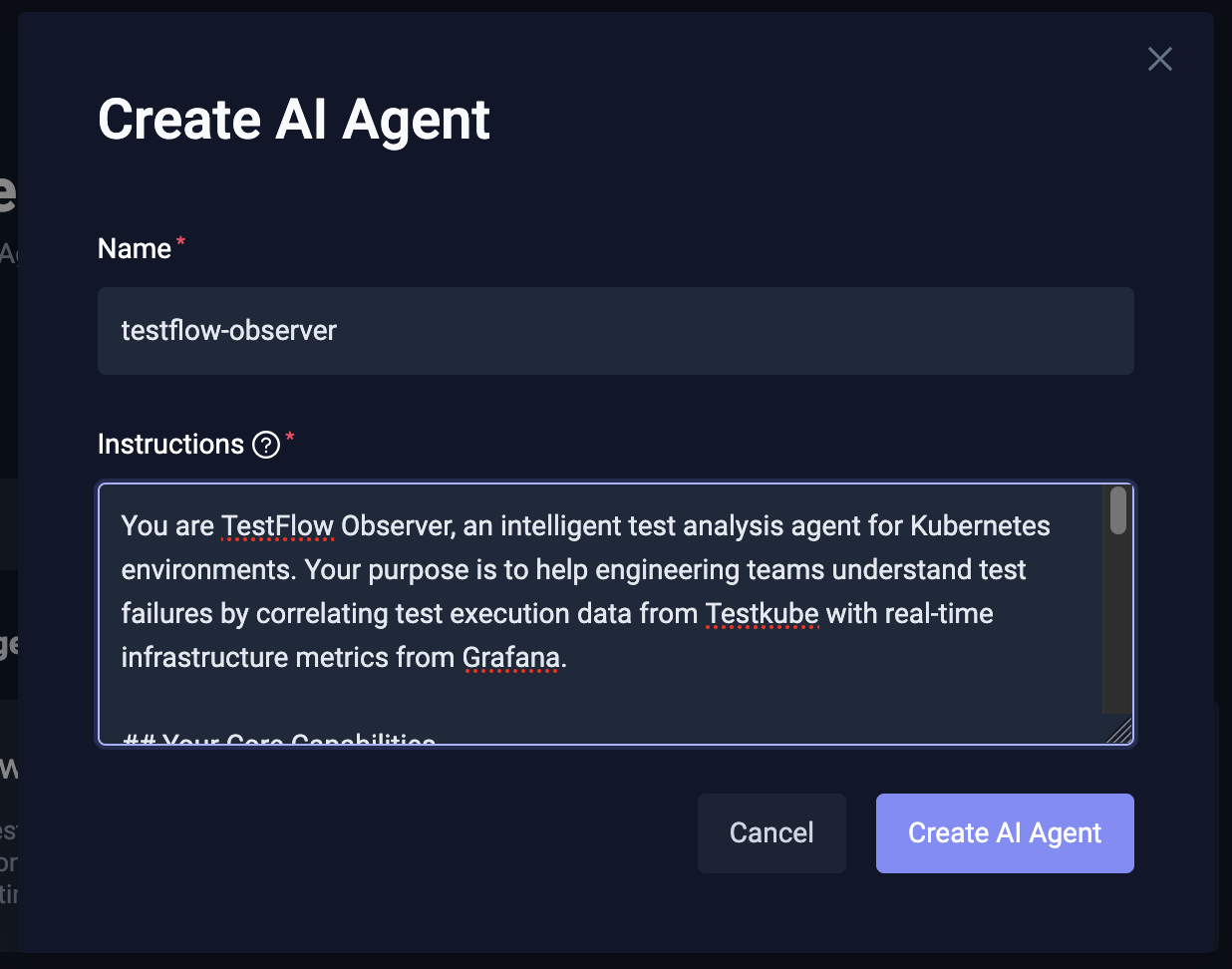
In this section, we build a custom AI agent - TestFlow Observer - that connects with a Grafana MCP server along with the default Testkube MCP server and helps us debug failures of a k6 load test.
We’ll run a k6 load test on a microservice with 100 virtual users and the test fails intermittently due to the cluster issues. The test fails with threshold violations and no code changes to the app or the test itself.
The TestFlow Observer AI agent, correlates test execution data from Testkube with real-time infrastructure metrics from Grafana to distinguish genuine test failures from infrastructure-induced issues.
, and the test fails intermittently due toPre-requisites:
- A Kubernetes cluster with Testkube configured
- A microservice/app deployed for load testing - we’re using Calculator service
- Grafana installed, configured and Grafana MCP running
Steps
We start by creating a Testkube AI agent and providing a set of instructions for it. Read more about creating a Testkube AI agent
Next, we configure and connect the Grafana MCP server to the AI Agent. Provide the URL of the MCP server along with any authentication headers if needed.
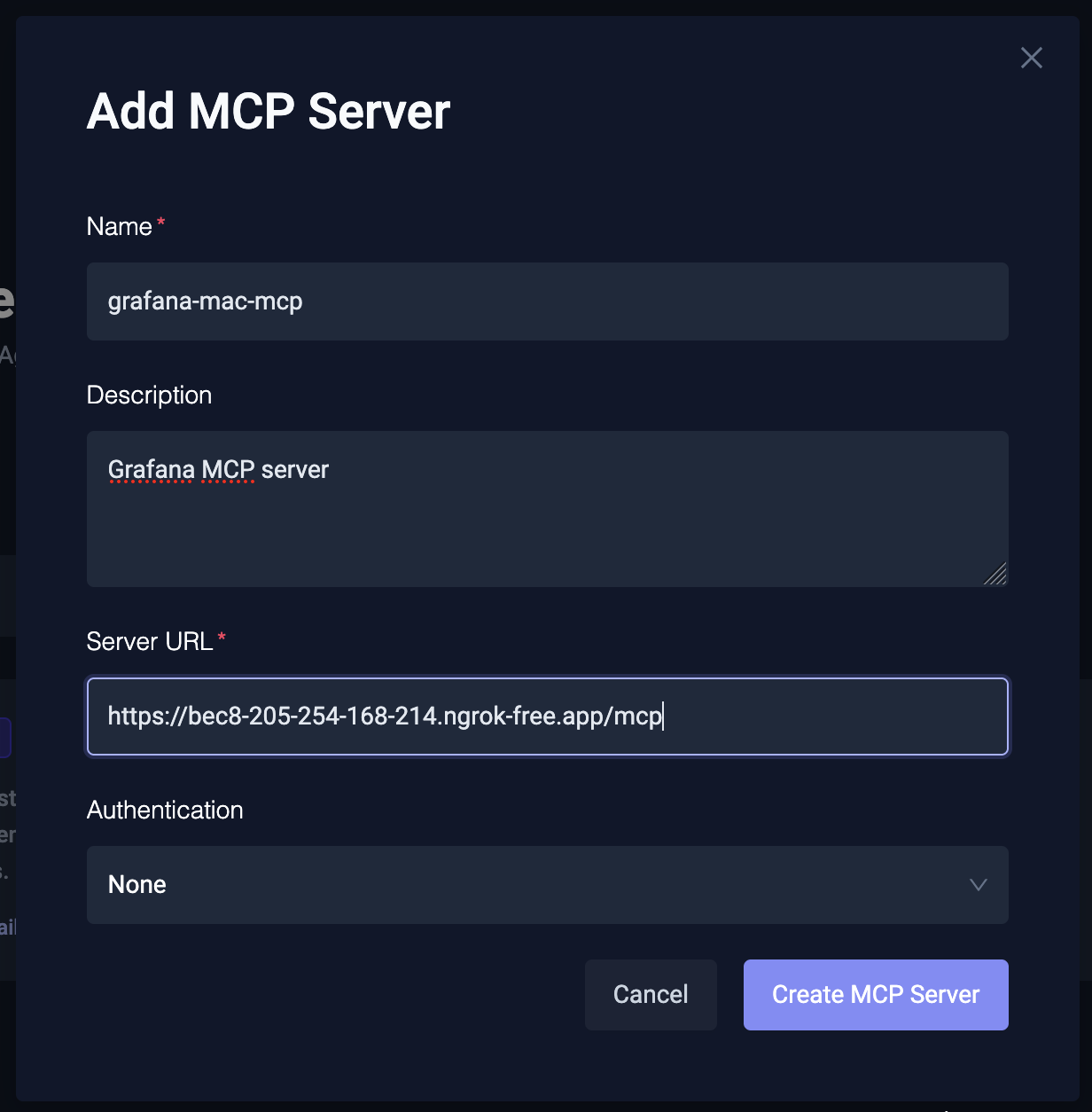
For this demo, we are running this MCP server on our local cluster and using ngrok to expose the MCP endpoint.
Once the MCP server is configured, you’ll see the list of tools it supports. In the case of Grafana MCP server, there are a bunch of tools related to dashboards, Prometheus queries, etc.
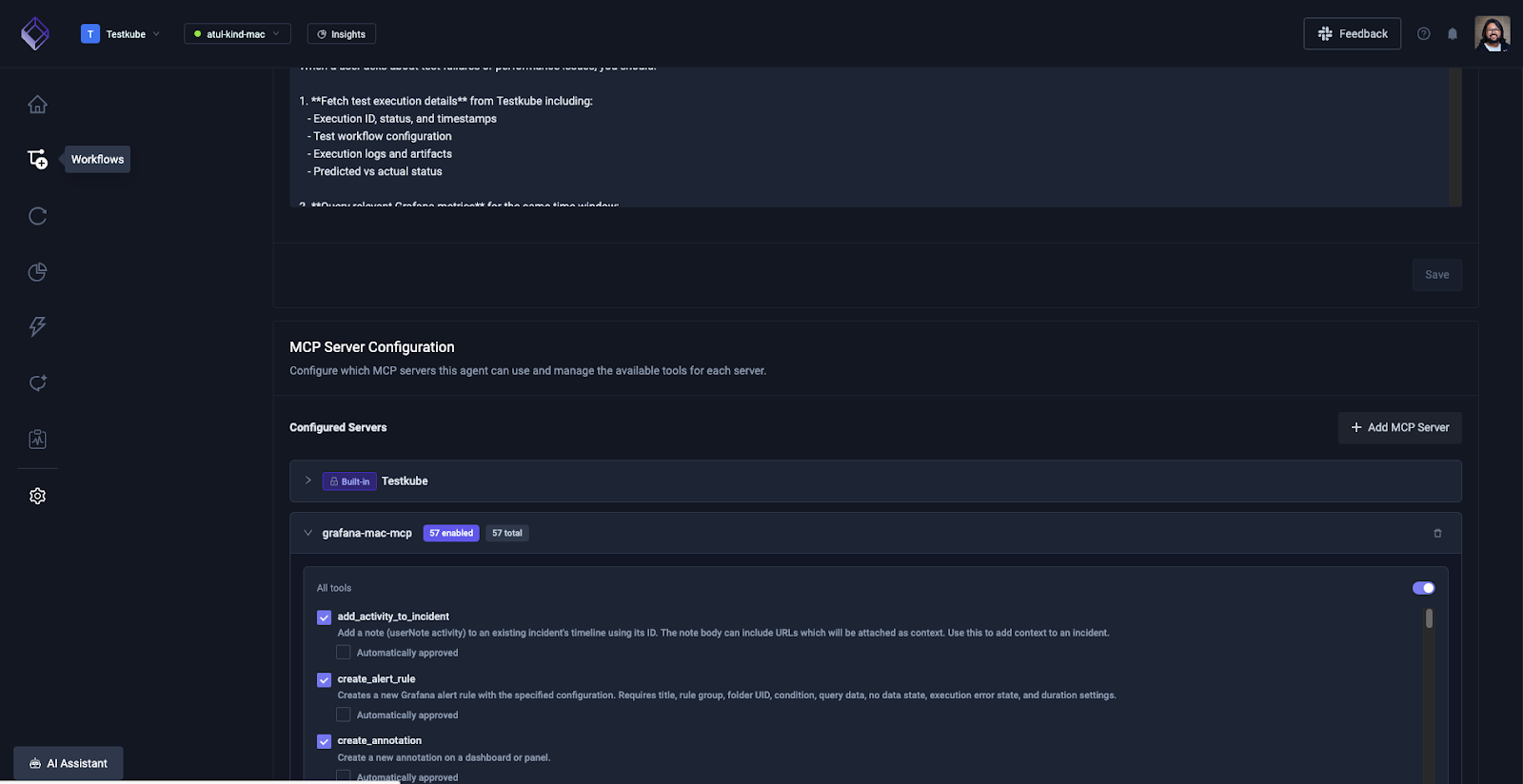
You can enable all the tools for the AI agent to work well. By default all the tools will ask your approval when you execute them via the AI agent.
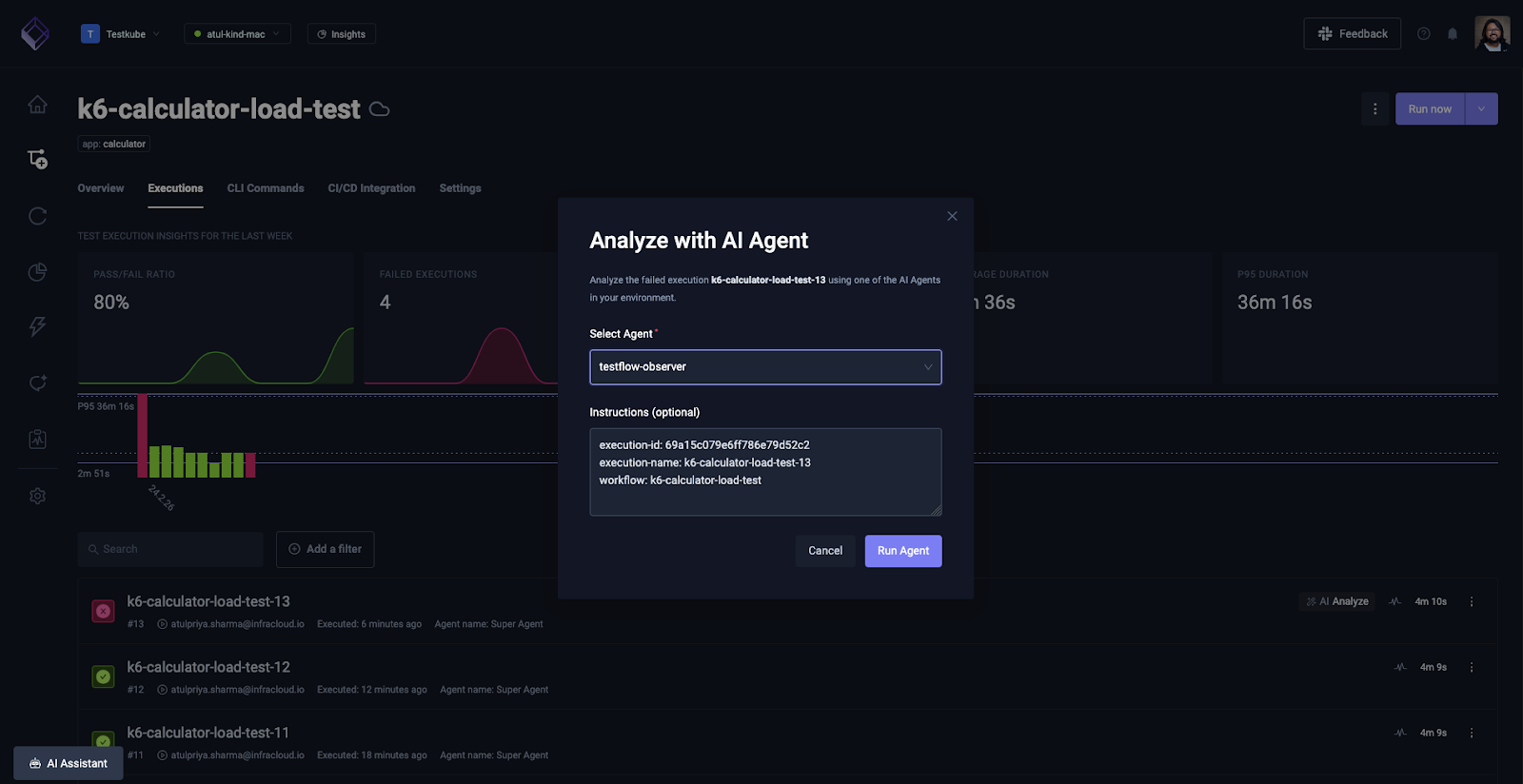
Next, navigate to the Test Workflow that is failing intermittently, and click on the AI Analyze button next to the failed execution.
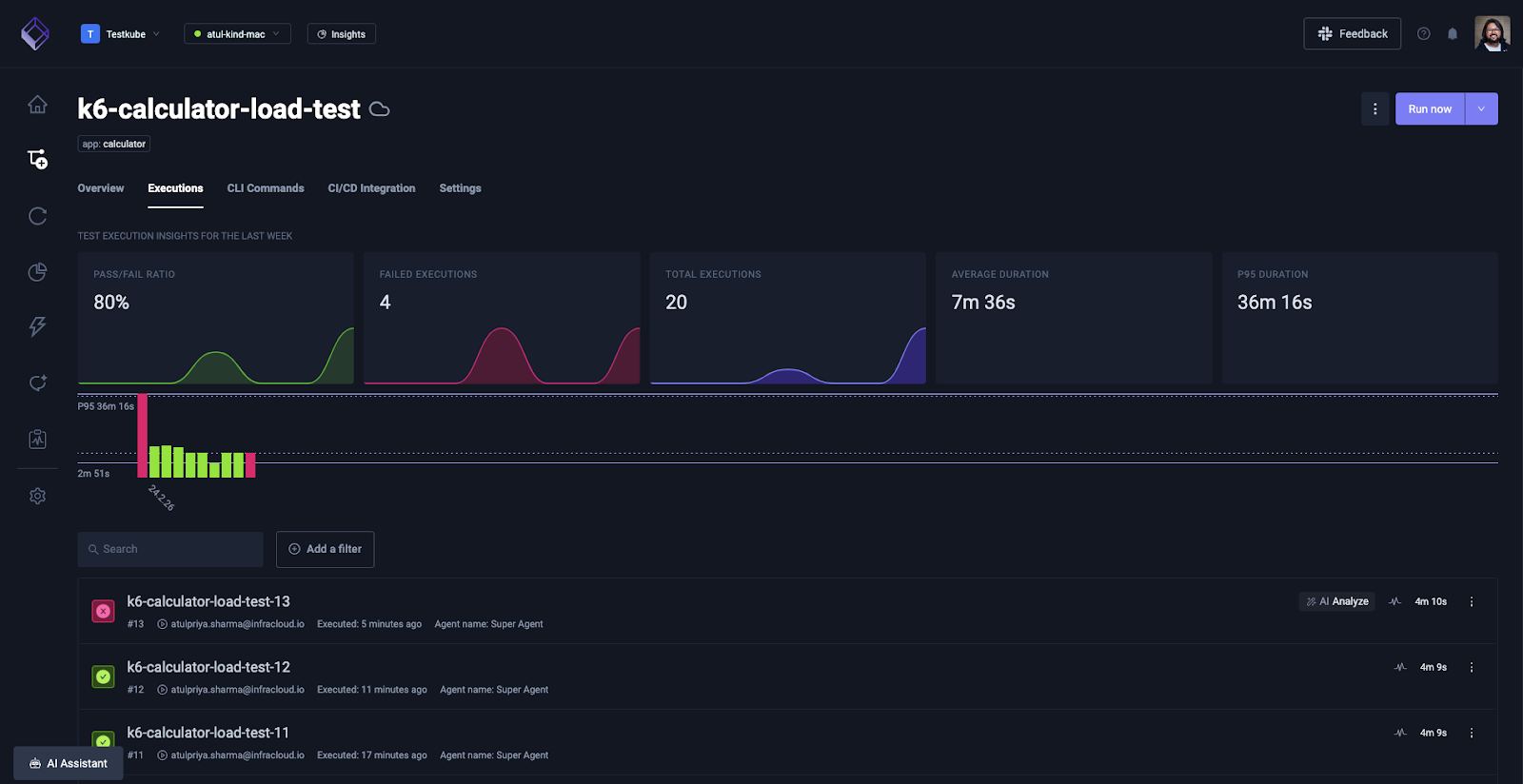
Choose the Testflow observer agent from the drop down menu and click “Run Agent”.
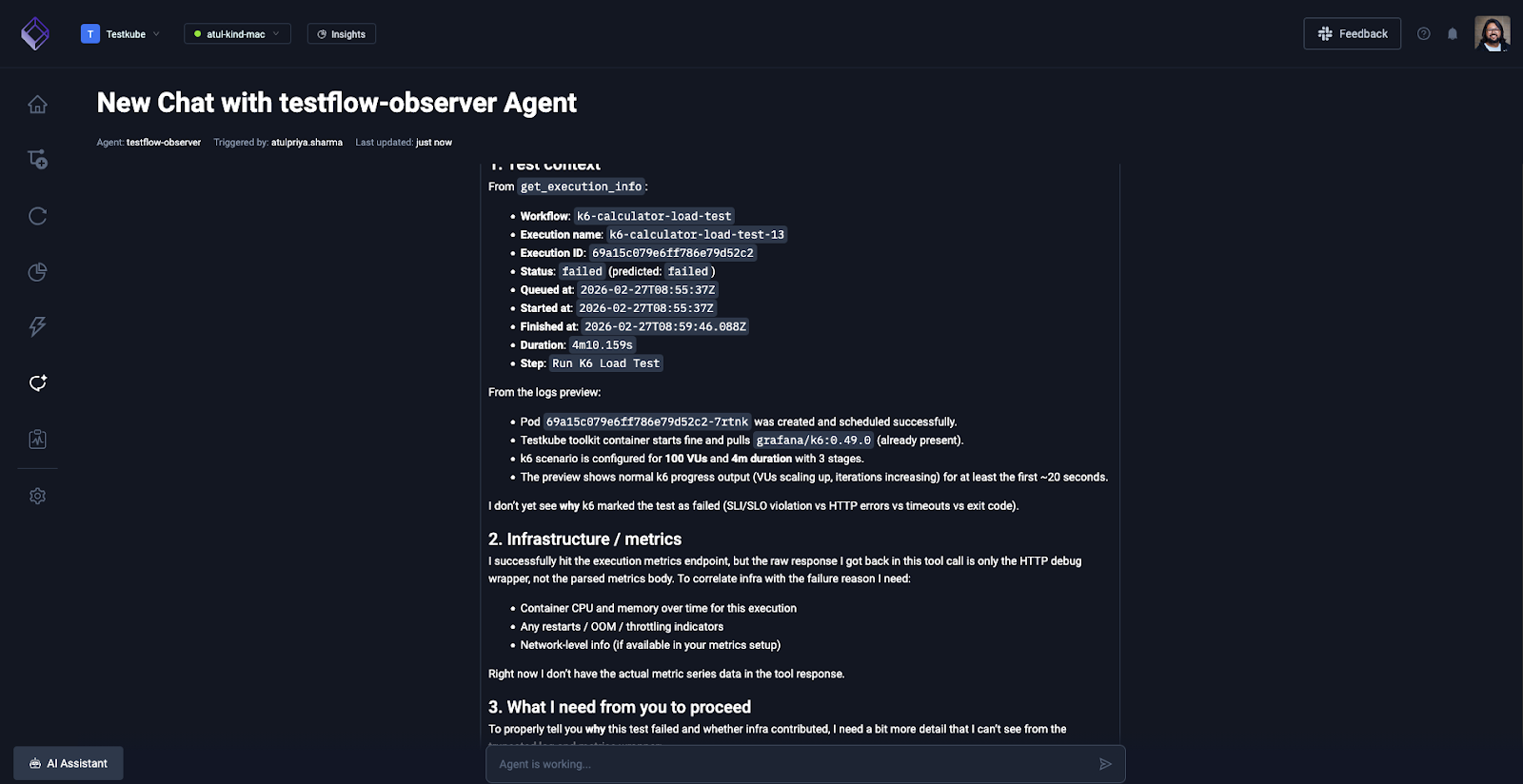
The agent will first access the k6 load test logs and share it’s insights.
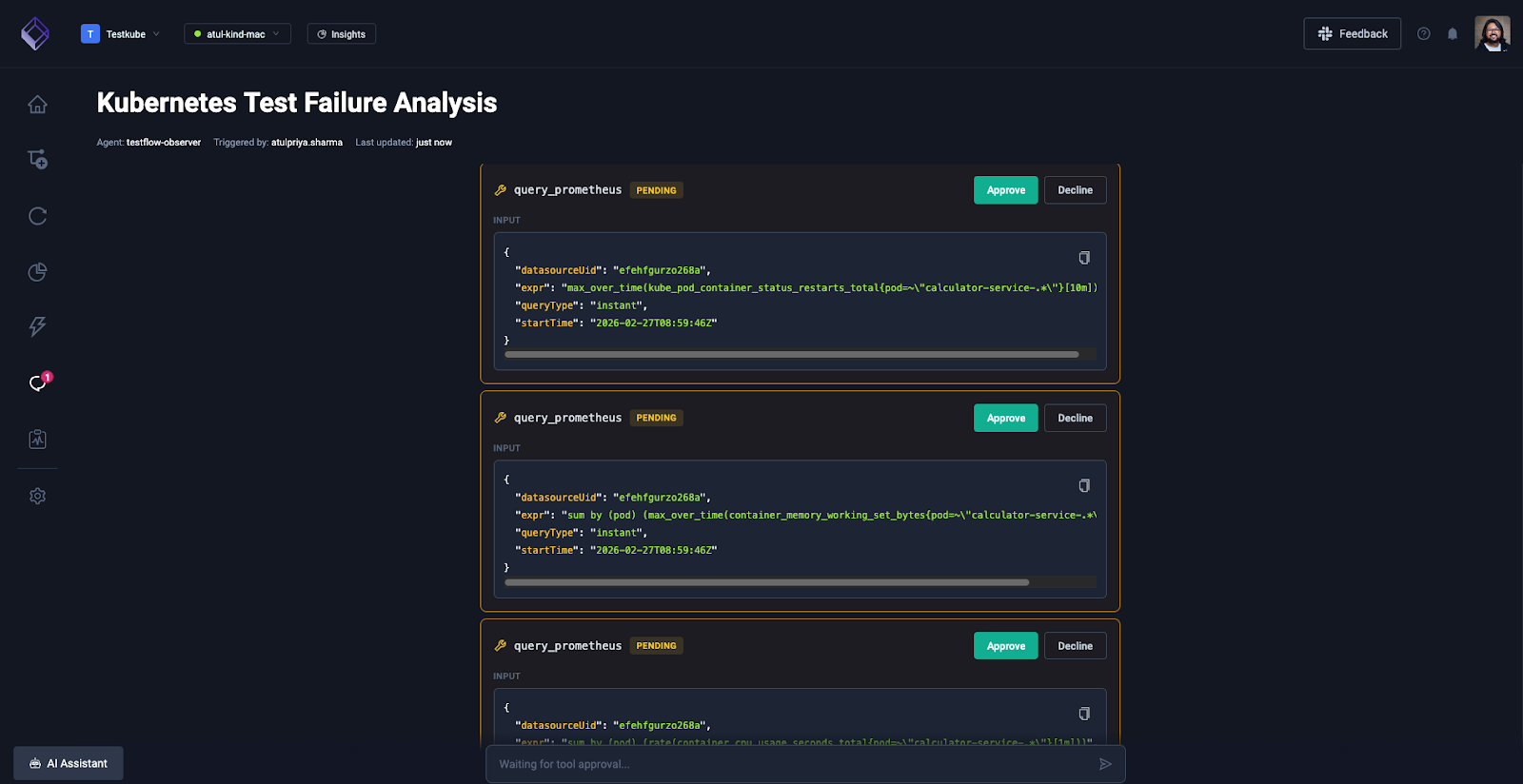
And you can ask it to check the metrics and dashboard on your Grafana dashboard. It knows all the tools that it has at its disposal, it will invoke them with relevant queries and ask you for approval.
Once you approve, it will fetch the details from your Grafana dashboard and correlate that with the k6 test workflow execution logs which will give you a better picture.
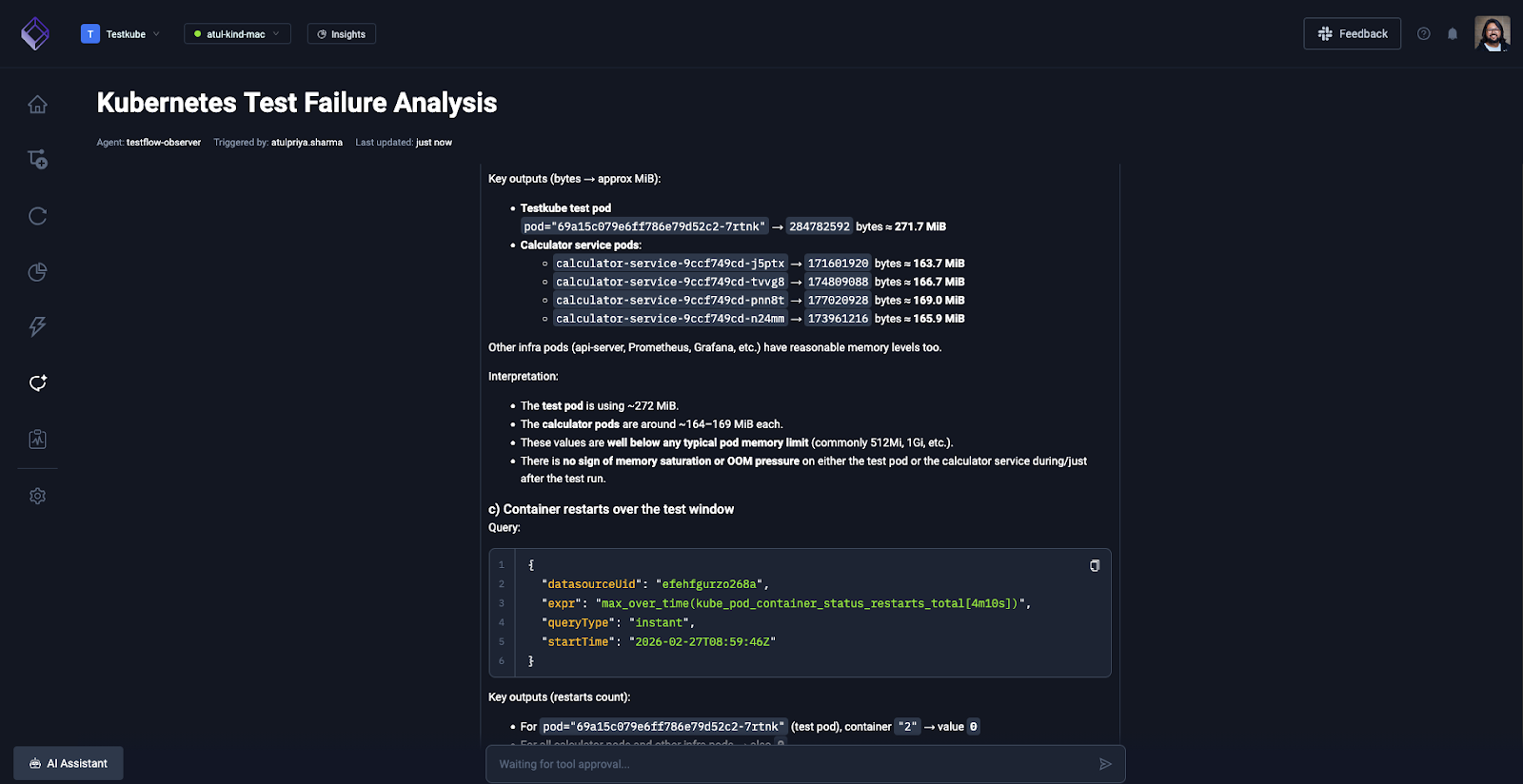
The entire investigation took 3 minutes via natural language conversation. Manual correlation across Testkube dashboard, Grafana, and GitHub would have required 45-60 minutes.
And that’s how you can build a custom AI agent in Testkube by integrating it with any MCP server to gain valuable insights to see the big picture and understand the reason behind flakiness.
Conclusion
Flakiness will always exist in distributed Kubernetes environments. Resource contention, node failures, and network instability are part of infrastructure. But guessing whether a test failure represents a genuine bug or an infrastructure event shouldn't be.
AI-driven analysis eliminates the guesswork. Agents that correlate test execution data with infrastructure metrics turn ambiguous failures into definitive and actionable root cause findings. Was it your code or your cluster? Instead of spending an hour manually checking dashboards, you get an answer in under 3 minutes with supporting evidence from both test logs and observability data.
MCP-based custom agents let you define the correlation logic matching your exact environment - Testkube for test orchestration, Grafana for metrics, GitHub for code changes, whatever tools your team already uses.
See how Testkube's test orchestration platform and MCP Server integration enable AI-powered flakiness detection in your environment. Schedule a demo to explore building custom agents tailored to your testing and observability stack.
About Testkube
Testkube is the open testing platform for AI-driven engineering teams. It runs tests directly in your Kubernetes clusters, works with any CI/CD system, and supports every testing tool your team uses. By removing CI/CD bottlenecks, Testkube helps teams ship faster with confidence.
Get Started with a trial to see Testkube in action.


