Table of Contents
Start your free trial.
Start your free trial.

Start your free trial.



Table of Contents
Executive Summary
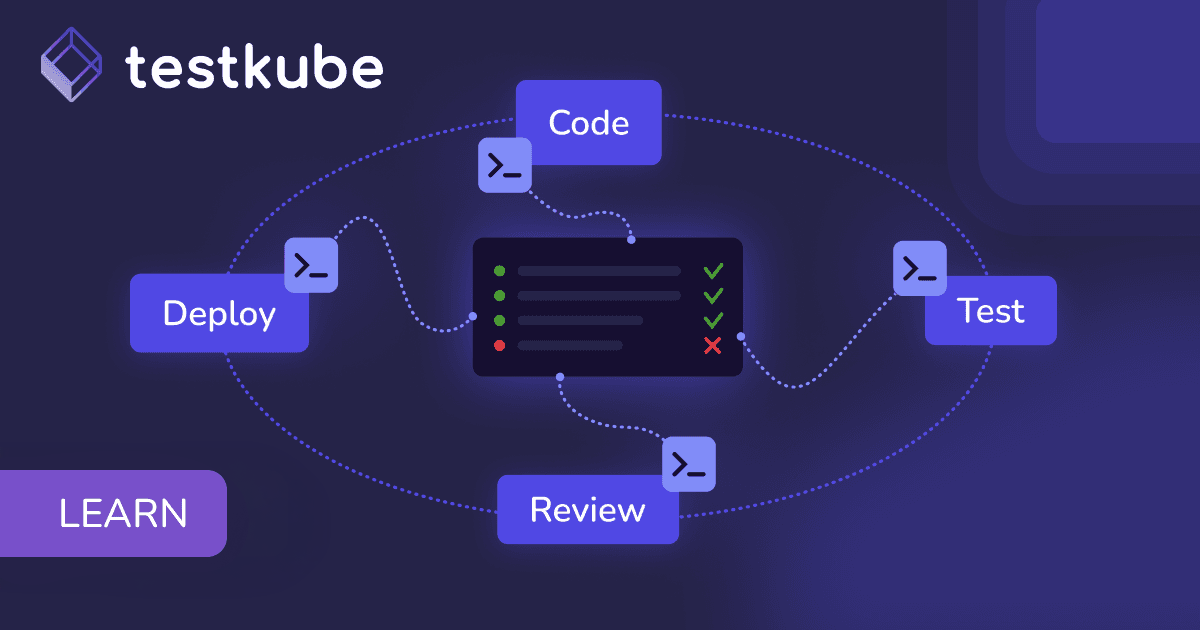
A quality gate in GitOps is an automated pass/fail checkpoint that uses test results to decide whether a deployment moves forward. Argo CD reports a healthy sync. Every pod is running. What is in the cluster matches what is in Git. None of that tells you whether checkout still works.
Deployment success answers one narrow question: did Kubernetes apply what Git asked for? Application readiness is a different question entirely. A service can reconcile cleanly and still return malformed API responses, break a downstream dependency, or fall over once real traffic arrives.
GitOps solved delivery. Validation is the open problem. Quality gates close that gap by putting automated checkpoints inside the GitOps workflow, where test results, health metrics, and security findings decide whether a deployment proceeds, pauses, or rolls back.
This guide covers what quality gates evaluate, where they belong in a GitOps pipeline, and how to implement them with automated testing.
What is a quality gate in GitOps?
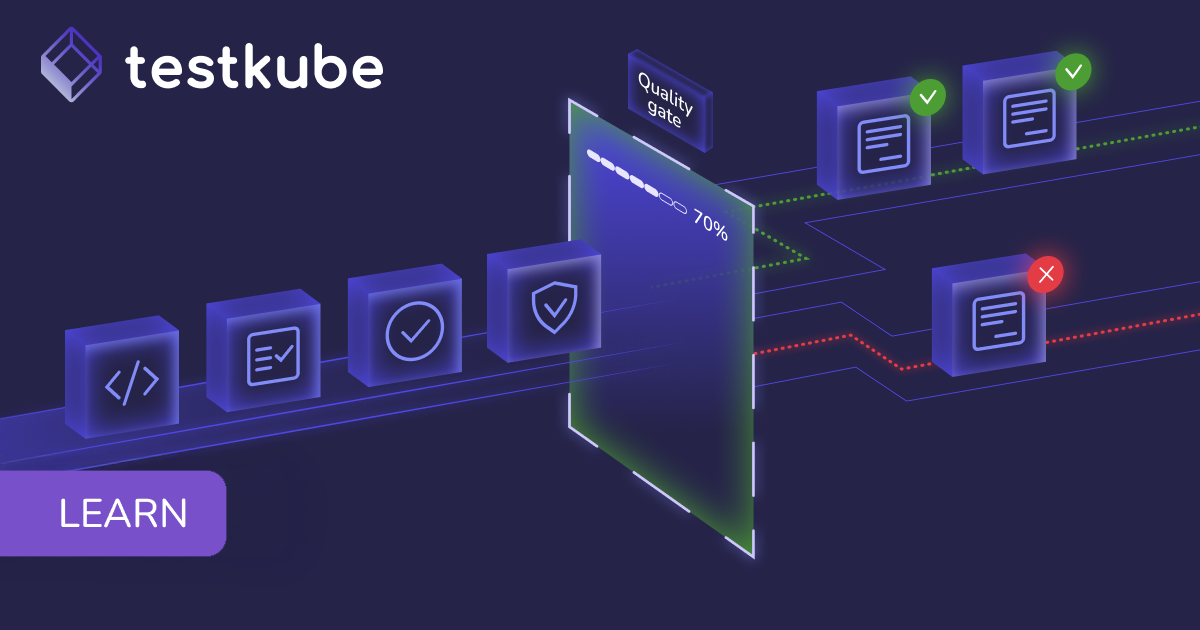
A quality gate is an automated pass/fail checkpoint that decides whether a deployment moves forward.
Most GitOps pipelines already have one, and it is the sync status. That checkpoint confirms manifests were accepted, pods started, and resources reached the desired state. It says nothing about behavior. Application readiness requires evidence that sits above the infrastructure layer.
What quality gates evaluate
Quality gates read multiple signals to determine whether a release is safe to promote.
Deployment success confirms Kubernetes applied the desired state. Test success confirms that specific application behaviors work. A quality gate combines both into a single release decision, which turns promotion into a repeatable standard rather than a judgment call someone makes under deadline pressure. Once that standard is written down and automated, it scales across teams without anyone having to remember it.
Where do quality gates fit in a GitOps pipeline?
Quality gates fit at five points in a GitOps workflow: before sync, after sync, during progressive rollouts, at environment promotion, and after release. Which ones you need depends on what you need to validate. Placement matters. Gates that sit too late catch problems after they have already cost you a rollback, and gates that sit everywhere turn into a bottleneck nobody wants to maintain.
Pre-sync validation
Pre-sync validation runs before the GitOps controller applies changes to the cluster. At this stage you are asking whether the proposed change is safe to deploy at all.
Common pre-sync checks include:
- Kubernetes manifest validation
- Configuration verification
- Policy enforcement
- Security scanning
- Infrastructure dependency checks
A deployment manifest with invalid resource definitions or a policy violation gets rejected before it reaches the cluster. That saves the cluster resources a doomed rollout would have consumed, and it avoids the messier rollback that follows a partially applied bad manifest.
Post-sync validation
Once the GitOps controller has synchronized the desired state and Kubernetes has deployed the application, quality gates can validate how the running workload actually behaves.
Typical post-sync tests include:
- Smoke tests
- API validation
- Integration tests
- End-to-end workflows
- Performance tests
Kubernetes will happily report a successful deployment of a payment service. An API test tells you whether a user can complete a payment. That distinction is the entire point of post-sync validation, and it is what stands between a broken build and the customers who would have found it first.
Progressive delivery gates
Modern delivery practices use canary or blue-green deployments to reduce production risk (see how to implement canary deployments with Argo Rollouts and Testkube). Instead of routing all traffic to a new version at once, teams shift it incrementally while watching how the application responds.
Quality gates become the decision points inside that process. At each increment, validation signals determine whether traffic keeps moving toward the new version or reverses.
During progressive delivery, gates typically evaluate:
- Functional test results
- Error rates
- Response times
- Application health metrics
- Business workflow validation
Pass, and traffic continues. Fail, and the rollout pauses or reverts on its own. The blast radius of a bad release stays limited to the small slice of users who saw it.
%20copy%203.png)
%20copy%202.png)
Multi-stage promotion gates
Different environments warrant different levels of scrutiny. A development environment wants fast smoke tests so engineers keep moving. Production wants deeper verification because the cost of being wrong is customer-facing.
With quality gates in place, promotion between environments becomes an outcome of validation results instead of a Slack thread waiting on an approval. Bottlenecks shrink, and every environment gets held to the same documented standard.
Continuous validation after deployment
Validation should not stop at release. Production systems drift. Configuration changes, infrastructure upgrades, dependency bumps, and shifting traffic patterns all change the conditions your application runs under, long after the deployment that introduced it.
Continuous validation uses scheduled or event-driven testing to confirm that applications keep working. Running tests on a schedule, or in response to infrastructure events, surfaces regressions, dependency failures, and configuration drift while they are still cheap to fix. This is what extends GitOps past deployment automation and into ongoing application reliability.
.png)
Designing test-based quality gates
A test-based quality gate needs three decisions: which tests run, what counts as a pass, and what happens on failure.
Selecting the right tests
Not every deployment needs every test. The right validation strategy depends on deployment risk and blast radius.
A layered strategy gives you fast feedback on the common case while reserving deeper verification for high-risk changes. Cheap tests run first and fail fast. Expensive tests run later, on the changes that warrant them.
Defining promotion criteria
Quality gates need measurable conditions. Vague criteria produce inconsistent decisions, which is the problem gates exist to solve.
Examples of measurable promotion criteria include:
- API availability thresholds
- Response time limits
- Error rate limits
- Security scan results
- Successful business transactions
Base these thresholds on real operational data rather than round numbers that felt reasonable at the time. Teams usually derive them from historical application performance, service level objectives, production telemetry, or baselines pulled from an observability platform. As the application changes, revisit them.
Multiple signals can feed a single release decision. A deployment might progress only when all critical API tests pass, error rates stay under threshold, and performance tests land within expected limits. Environments can apply different combinations, with the strictest criteria closest to production.To implement quality gates with Testkube, run Test Workflows inside the cluster at each GitOps stage. Their results become the pass/fail signals for Argo CD and Argo Rollouts. A successful Argo CD sync confirms that Kubernetes applied the resources. It does not confirm that the deployed application works.
Handling failures automatically
A quality gate that fails and then waits for a human is a notification, not a gate. Automated responses are what make the checkpoint real.
Automated failure responses include:
- Block environment promotion
- Pause progressive rollouts
- Trigger rollback workflows
- Notify engineering teams
When a gate fails, the system takes protective action immediately. Nobody has to be online, and nobody has to make a call about whether the failure is serious enough to stop the release.
.png)
Implementing quality gates with Testkube
To implement quality gates with Testkube, run Test Workflows inside the cluster at each GitOps stage. Their results become the pass/fail signals for Argo CD and Argo Rollouts. A successful Argo CD sync confirms that Kubernetes applied the resources. It does not confirm that the deployed application works.
This is a common gap in GitOps pipelines. An application can deploy cleanly while exposing broken APIs, failed integrations, configuration issues, or performance regressions. Without automated validation, those problems surface during manual testing or, more often, after users hit them.
Testkube is a testing platform that closes the gap with test orchestration. A Testkube runner executes tests inside the cluster and exposes the results as quality gate signals. Testing stops being a separate CI/CD stage and becomes part of the deployment workflow itself.
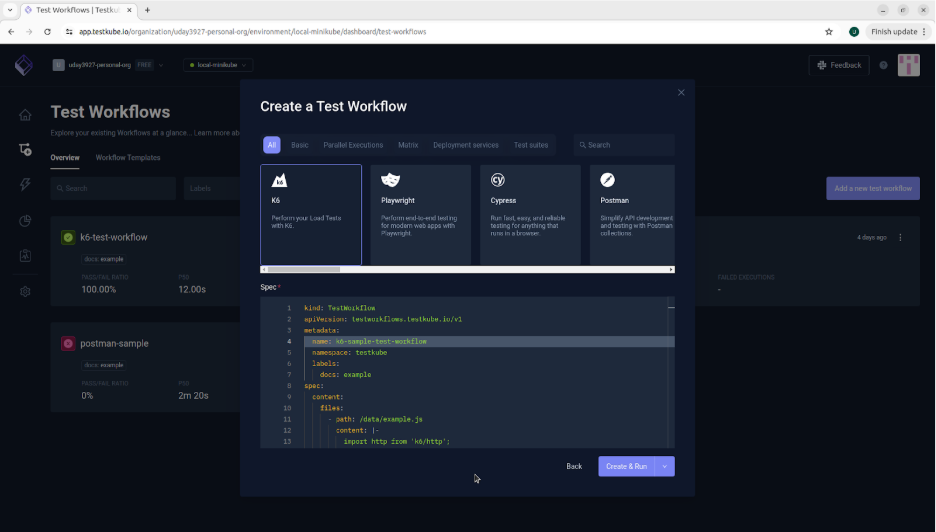
Those signals give you objective evidence of application health, so deployment decisions rest on functionality rather than sync status.
Pre-sync validation with Test Workflows
Quality gates can start before an application is deployed. Test Workflows can validate the target environment by checking:
- Kubernetes resources
- Configuration changes
- Infrastructure requirements
- Policy compliance
Running these validations ahead of synchronization keeps invalid configurations and infrastructure problems out of the deployment process, where they would surface later and cost more to unwind.
Post-sync validation after reconciliation
Once Argo CD completes reconciliation, Testkube can automatically trigger Test Workflows against the newly deployed application. Those workflows execute smoke, API, integration, end-to-end, and performance tests against the running workload inside the cluster.
The outcome becomes the quality gate signal that determines whether the deployment is ready for the next stage.
Progressive delivery with Argo Rollouts
Canary and blue-green strategies only reduce risk when every rollout stage gets validated automatically. Testkube integrates with Argo Rollouts by executing Test Workflows during rollout analysis.
A typical workflow looks like this:
- A new application version is deployed.
- Argo Rollouts triggers a Test Workflow through Testkube.
- The Test Workflow executes functional, API, integration, or performance tests against the new version.
- Based on the results, Argo Rollouts continues shifting traffic, or pauses and rolls back.
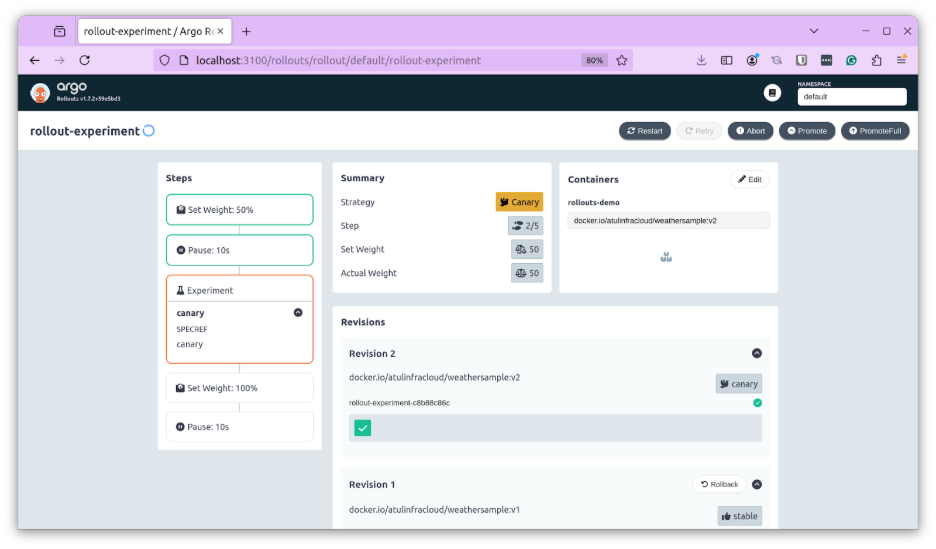
Automated test results become part of rollout analysis, so deployments progress on demonstrated behavior rather than on the fact that Kubernetes accepted the manifests.
Environment promotion
Quality gates can also automate promotion between environments by applying progressively stricter validation:
- Development: smoke tests verify basic application availability.
- Staging: integration and end-to-end tests validate business workflows.
- Production: functional, performance, and compliance tests provide release confidence.
Successful Test Workflow execution becomes the automated evidence that an application is ready to move forward, which replaces the manual approval step.
Validation after release
Configuration drift, dependency updates, infrastructure changes, and operational issues all introduce failures long after a release completes.
Testkube supports scheduled and event-driven Test Workflows that continuously validate deployed applications to detect:
- Regression issues
- Application drift
- Dependency failures
- Operational problems
Running tests throughout the application lifecycle turns a quality gate from a one-time deployment checkpoint into an ongoing practice.
How do you measure quality gate effectiveness?
You measure quality gate effectiveness by tracking whether gates improve reliability and delivery speed at the same time. If they only improve one, the configuration needs work.
Track these over time and you can tell whether gates are reducing production incidents, whether teams trust releases more than they did, and whether validation has started eating into delivery velocity. Adding more checks is easy. Building validation that earns its runtime is the harder problem, and the one worth solving.
Quality gates make the release decision automatic
GitOps automates how application changes get delivered. Quality gates automate the decision about whether those changes are ready. Put them together and teams validate real application behavior instead of trusting deployment status as a proxy for it.
Testkube enables continuous validation by integrating tests directly into GitOps pipelines, so every change gets verified before it reaches users. Both the infrastructure and the application get checked, and both have to pass. That shifts deployment from a binary success/failure event into a validation process that keeps up with the system as it grows.
Frequently Asked Questions
{{banner-get-started}}
About Testkube
Testkube is the open testing platform for AI-driven engineering teams. It runs tests directly in your Kubernetes clusters, works with any CI/CD system, and supports every testing tool your team uses. By removing CI/CD bottlenecks, Testkube helps teams ship faster with confidence.
Get Started with a trial to see Testkube in action.